The 3:00 AM Outage Caused by a 40ms Drift
Six months ago, our three-node CockroachDB cluster suddenly halted transactions and entered a split-brain state. Raft consensus timed out. Batched database writes began throwing transaction retries, and distributed traces showed downstream events registering before their root API calls. We initially suspected an application regression. The telemetry graphs told a different story: clock skew between three bare-metal hypervisors had silently crept past 38 milliseconds.
Like most teams, we had pointed our base Linux installs at upstream public servers like pool.ntp.org. Public pools are adequate for developer laptops and standard web workers. They are a liability for distributed databases, financial ledgers, and compliance audit pipelines that rely on strict monotonic ordering.
Root Cause: Why Internet NTP Fails Production Infrastructure
During our post-incident review, we isolated three fundamental weaknesses in internet-based time sync:
- Asymmetric Route Latency: NTP assumes symmetric transit times. It assumes a packet travels to the remote server at the exact speed it returns. In reality, ISP transit paths change constantly. A mid-tier peering shift can swing round-trip asymmetry by 15 to 45 milliseconds without dropping a single packet or triggering an alert.
- Transit Jitter and Bufferbloat: Congested WAN up links and deep packet inspection firewalls introduce packet jitter. Under peak afternoon traffic, our observed Stratum 2 jitter swung between 8ms and 24ms. This variance made microsecond stability impossible.
- Dangerous External Dependencies: Air-gapped database enclaves, PCI-DSS zones, and SCADA networks should never need outbound UDP port 123 access to public IP addresses. When our upstream ISP suffered a cut in March, isolated nodes were left running on low-grade motherboard quartz oscillators that drifted up to 1.8 seconds per week.
Comparing the Options
We evaluated three paths to eliminate external clock drift across our two data centers:
| Option | Typical Precision | Hardware Cost | WAN Dependency | Auditability |
|---|---|---|---|---|
| Public NTP Pools | 5 – 50 ms | $0 | Continuous 24/7 access required | Third-party unauthenticated servers |
| Turnkey Appliances (Meinberg, Microchip) | < 500 ns | $3,500 – $12,000 | None (GNSS satellite lock) | Proprietary firmware |
| Dedicated Linux Box (GPS + PPS + Chrony) | < 1 µs (LAN: 15–30 µs) | $85 – $220 | None (GNSS satellite lock) | Fully auditable open-source stack |
Commercial rackmount appliances are rock-solid, but spending $8,000 per unit across staging, edge, and primary racks was hard to justify. Building our own node with off-the-shelf hardware delivered sub-microsecond reference precision at 3% of the price.
How GPS PPS Delivers Stratum 1 Accuracy
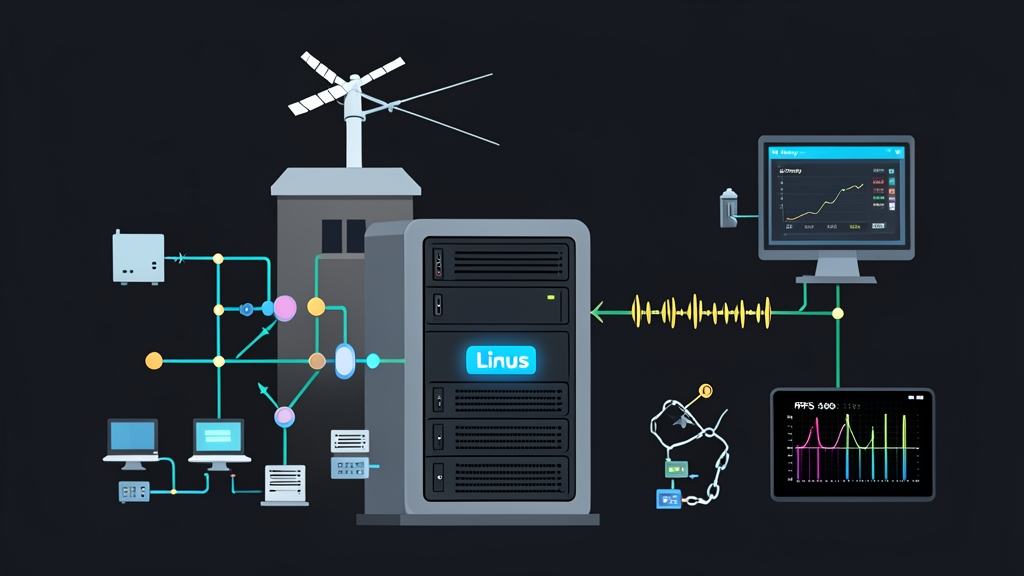
Our build pairs an Intel N100 mini-PC (or a Raspberry Pi 4) with a $25 u-blox NEO-M8N GNSS module and an active 28dB magnetic patch antenna. The architecture splits time synchronization into two distinct channels:
First, standard NMEA ASCII strings (such as $GPRMC) arrive over serial UART at 9600 baud. These sentences provide coarse time: year, month, day, hour, minute, and second. However, serial buffering introduces 20 to 100 milliseconds of transit jitter.
Second, the GNSS module asserts a physical Pulse Per Second (PPS) pin. This electrical square wave transitions on the exact nanosecond boundary of every UTC second. The Linux kernel captures this edge via a hardware interrupt, bypassing userspace scheduling delays entirely. NMEA provides the calendar date; PPS provides the exact tick.
Step 1: Install Kernel Drivers and Utilities
sudo apt update
sudo apt install -y pps-tools gpsd gpsd-clients chrony
Step 2: Wire and Expose Kernel PPS
On single-board computers like a Raspberry Pi, connect the module TX/RX pins to the board UART and the module PPS pin to GPIO 18 (pin 12). Add this line to /boot/firmware/config.txt:
dtoverlay=pps-gpio,gpiopin=18
Disable the serial login console so it does not interfere with raw GPS data:
sudo systemctl stop [email protected]
sudo systemctl disable [email protected]
On an x86 server with a native 9-pin serial COM port, wire the PPS pin to pin 1 (Carrier Detect / DCD) and load the kernel line discipline module:
sudo ldattach PPS /dev/ttyS0
# Or load at boot via /etc/modules:
sudo modprobe pps-ldisc
Reboot the host and test the PPS signal:
ls -l /dev/pps*
# Output: /dev/pps0

sudo ppstest /dev/pps0
Once your receiver locks onto satellites, ppstest will print pulse assertions once per second with single-digit nanosecond variance:
source 0 - assert 1718873042.000000028, sequence: 104 - clear  0.000000000, sequence: 0
source 0 - assert 1718873043.000000019, sequence: 105 - clear  0.000000000, sequence: 0
Step 3: Configure GPSD for NMEA Strings
Edit /etc/default/gpsd to expose the serial stream. Pass only the serial interface here; let Chrony handle /dev/pps0 directly to avoid contention:
START_DAEMON="true"
USBAUTO="false"
DEVICES="/dev/ttyAMA0"
GPSD_OPTIONS="-n"
Restart the service and check your satellite lock:
sudo systemctl restart gpsd
cgps -s
Ensure the terminal displays a solid 3D Fix with at least 6 satellites tracked and a Time Dilution of Precision (TDOP) under 1.5.
Step 4: Configure Chrony as an Authoritative Stratum 1 Daemon
Chrony disciplines local system clocks much faster than legacy ntpd, especially across virtualized workloads. Open /etc/chrony/chrony.conf and add these reference clock rules:
# NMEA serial coarse time via GPSD shared memory (SHM 0)
refclock SHM 0 refid NMEA offset 0.128 delay 0.2 noselect

# Direct kernel PPS input locked to the NMEA second
refclock PPS /dev/pps0 refid PPS lock NMEA precision 1e-9 poll 3 prefer

# Serve time to internal data center subnets
allow 10.20.0.0/16
allow 192.168.10.0/24

# Keep serving Stratum 1 time even if WAN uplinks drop
local stratum 1

# Drift tracking and step thresholds
driftfile /var/lib/chrony/chrony.drift
makestep 0.1 3
rtcsync
Restart Chrony to load the new config:
sudo systemctl restart chrony
Step 5: Inspecting Real-World Offsets
Give the daemon two minutes to converge, then run:
chronyc sources -v
Your output should look like this:
  .-- Source mode  '^' = server, '=' = peer, '#' = local clock.
 / .- Mode normal, '?' = unreachable, '=' = locked, '^' = not combined.
| /  .- State '*' = current best, '+' = combined, '-' = not combined,
| | /   'x' = may be in error, '~' = too variable
MS Name/IP address         Stratum Poll Reach LastRx Last sample
===============================================================================
#? NMEA                          0    3   377     4    -18ms[  -18ms] +/-  100ms
#* PPS                           0    3   377     3      +6ns[   +8ns] +/-  380ns
Look at the #* marker next to PPS. Chrony has designated the hardware pulse as its primary reference. The clock offset is sitting at single-digit nanoseconds (+6ns) with an estimated dispersion under 400 nanoseconds.
Six Months in Production: What We Learned
We built two identical Stratum 1 units and placed one in each data center hall. They now sync time for 42 bare-metal hypervisors, 180 Kubernetes nodes, and dozens of Arista top-of-rack switches. Here is what six months of metrics show:
- LAN Skew Below 25 Microseconds: Across our 10GbE network, client drift dropped from unpredictable 15–40ms spikes to a flat 18–24 microsecond envelope. Distributed transaction rollbacks caused by clock skew dropped to zero.
- Clean WAN Failover: When our primary fiber carrier went down for four hours during utility roadwork, internal logs and Raft heartbeats stayed locked in perfect sync. Not a single node drifted.
- Antenna Position Is Crucial: We originally mounted the antenna inside a server room window. Concrete rebar and coated low-E glass dropped tracked satellites to 3 during wet weather. Relocating the antenna to an exterior parapet with an open 360-degree view stabilized our fix at 11 satellites 24 hours a day.
If you run distributed storage, consensus systems, or strict event-streaming architectures, do not bet production stability on public internet NTP. An $85 GPS receiver, an afternoon of setup, and Chrony will permanently fix your clock sync issues.