At 2:15 AM on a Saturday, my pager went off. An open /23 guest subnet at our regional branch had flooded with unauthorized personal devices, exhausting all 508 DHCP leases in under 20 minutes.
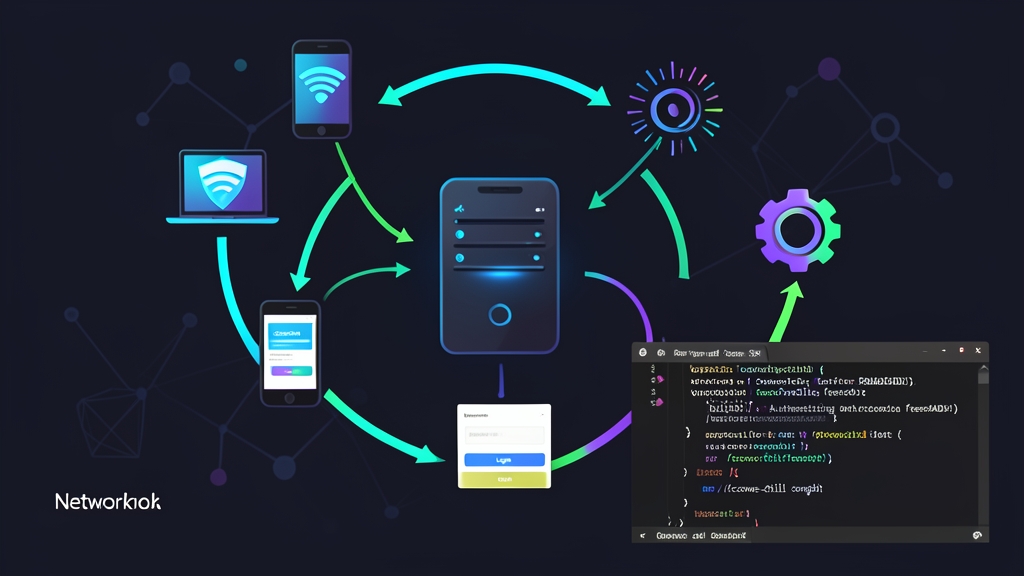
Worse, unbounded broadcast noise crippled the upstream switch and starved internal DNS resolvers. Open guest networks without strict Layer 2/3 isolation are ticking time bombs. To stop rogue traffic at the perimeter, you need an access gateway that intercepts traffic before routing occurs, forces an authentication handshake, and enforces strict per-session bandwidth caps.
Evaluating Guest Gateway Architectures
Engineers usually pick between three common patterns when isolating public guest traffic under heavy load.
| Architecture | Redirection Mechanism | Accounting & Rate Limiting | Operational Trade-offs |
|---|---|---|---|
| Custom iptables / nftables + Web App | DNAT rules with dynamic ipset lists | Manual Linux tc (Traffic Control) queues and cron scripts |
Brittle conntrack states; memory leaks under heavy connection churning. |
| Embedded Appliance (pfSense / OpenWrt) | In-tree portal engines (Nodogsplash, pfSense captiveportal) | Local SQLite databases or standard RADIUS client modules | Appliance hardware limits; crashes when concurrent guest counts cross 300–400 clients. |
| CoovaChilli + FreeRADIUS on Linux | Kernel TUN/TAP driver (tun0) with native UAM interception |
RFC 2866 RADIUS accounting, WISPr rate attributes, dynamic session timeouts | Requires manual daemon tuning, but easily handles 2,500+ active sessions on modest commodity hardware. |
Hacking together raw iptables rules looks quick on paper. In practice, connection-tracking state desyncs quickly corrupt sessions, and intercepting outbound HTTPS connections triggers browser TLS security alerts.
Dedicated appliances also struggle under peak registration rushes, such as during a conference keynote. CoovaChilli avoids these pitfalls. By offloading access control to a dedicated TUN interface and delegating authentication to FreeRADIUS, it provides carrier-grade session isolation on standard Linux hardware.
Production Trade-offs: The CoovaChilli + FreeRADIUS Stack
Before standardizing on this stack, balance its performance advantages against its maintenance overhead.
Core Advantages
- Kernel-Level Traffic Isolation: CoovaChilli controls a dedicated virtual interface (
tun0). Unauthenticated guests cannot touch your upstream gateway or reach internal subnets like192.168.1.0/24. - Standardized AAA Accounting: FreeRADIUS records exact byte counters and session durations via RADIUS accounting packets. You can easily query usage through PostgreSQL, MySQL, or an LDAP directory.
- Granular Walled Gardens: You can permit DNS queries, payment endpoints like Stripe (
*.stripe.com), and CRL/OCSP validation servers without granting unrestricted web access. - Dynamic Per-User QoS: FreeRADIUS returns WISPr vendor-specific attributes on authentication. CoovaChilli applies individual upload and download token buckets instantly without requiring manual
tcscripting.
Operational Bottlenecks
- MTU and Tunnel Overhead: CoovaChilli adds tunnel encapsulation. If you leave MTU set to 1500 without clamping MSS to 1460 bytes, clients will encounter stalled TLS handshakes and corrupted file downloads.
- Modern HTTPS Detection Quirks: Modern smartphones use dedicated probes, like Apple Captive Network Assistant (CNA) and Android ConnectivityCheck. Your web server must handle these probe endpoints properly, or the login popup will fail to appear.
- Multi-Service Debugging: Troubleshooting requires inspecting three distinct layers: CoovaChilli daemon states, Nginx redirection hooks, and FreeRADIUS authentication logs.
Recommended Production Architecture
For an environment handling 500 to 1,500 concurrent active guests, run Ubuntu 22.04 or Debian 12 on a dual-NIC gateway (e.g., 4 vCPUs, 8 GB RAM, dual 1GbE/10GbE interfaces):
- WAN (
eth0): Receives an upstream transit IP (e.g.,198.51.100.2/29) with outbound NAT (MASQUERADE) enabled in the Linux kernel. - Guest VLAN Trunk (
eth1): Connects directly to the guest Wi-Fi access point VLAN trunk (e.g., VLAN 100). Keep this physical interface unassigned; CoovaChilli binds to it directly at the link layer.
This physical interface split guarantees that unauthorized wireless broadcast frames never reach your corporate routing table.
Step-by-Step Gateway Implementation
Follow these steps to deploy and configure the complete gateway stack on an Ubuntu server.
Step 1: Kernel Tuning and Dependency Installation
Enable IPv4 packet forwarding in sysctl and install the required build tools, web stack, and FreeRADIUS server.
# Enable kernel forwarding and optimize connection tracking
sudo tee -a /etc/sysctl.d/99-captive-portal.conf <<'EOF'
net.ipv4.ip_forward = 1
net.ipv4.tcp_syncookies = 1
net.netfilter.nf_conntrack_max = 262144
EOF
sudo sysctl --system

# Install build toolchain, libraries, FreeRADIUS, and Nginx
sudo apt update
sudo apt install -y build-essential libssl-dev libcurl4-openssl-dev \
    libjson-c-dev freeradius freeradius-utils nginx php8.1-fpm iptables-persistent
Step 2: FreeRADIUS Configuration and User Policy
First, authorize CoovaChilli as a trusted RADIUS client on loopback. Edit /etc/freeradius/3.0/clients.conf:
client coovachilli {
    ipaddr = 127.0.0.1
    secret = S3cur3Sh4redK3y#2026
    shortname = coovachilli
    require_message_authenticator = no
}
Next, define your guest account policies and bandwidth limits in /etc/freeradius/3.0/users. Note that WISPr bandwidth attributes must be defined in bits per second:
# Guest profile: 2-hour max session, 10-minute idle drop, 10 Mbps down / 2 Mbps up
guest_visitor Cleartext-Password := "WelcomeWifi2026!"
    Session-Timeout = 7200,
    Idle-Timeout = 600,
    ChilliSpot-Max-Input-Octets = 1073741824,
    ChilliSpot-Max-Output-Octets = 1073741824,
    WISPr-Bandwidth-Max-Down = 10485760,
    WISPr-Bandwidth-Max-Up = 2097152
Restart FreeRADIUS and verify credentials locally using radtest:
sudo systemctl restart freeradius
radtest guest_visitor "WelcomeWifi2026!" 127.0.0.1 0 S3cur3Sh4redK3y#2026
The utility should return an immediate Access-Accept response displaying your configured WISPr-Bandwidth-Max-Down and Session-Timeout attributes.
Step 3: Compiling and Configuring CoovaChilli
Compile CoovaChilli with SSL and proxy redirection support to enable secure UAM handshakes:
cd /usr/local/src
sudo wget https://github.com/coova/coova-chilli/archive/refs/tags/1.6.tar.gz -O coovachilli-1.6.tar.gz
sudo tar -zxvf coovachilli-1.6.tar.gz
cd coova-chilli-1.6

sudo ./configure --prefix=/usr --sysconfdir=/etc --localstatedir=/var \
    --enable-chilliproxy --enable-chilliredir --enable-binstatusfile --with-openssl
sudo make -j$(nproc)
sudo make install
Next, configure network interface bindings and portal settings in /etc/chilli/local.conf:
# Network interface bindings
HS_WANIF=eth0             # Outbound uplink to router
HS_LANIF=eth1             # Subscriber trunk interface (no IP assigned)
HS_NETWORK=10.10.0.0      # Subnet allocated for guest leases
HS_NETMASK=255.255.248.0  # /21 subnet supporting up to 2,046 client leases
HS_UAMLISTEN=10.10.0.1    # Virtual gateway IP on tun0
HS_UAMPORT=3990

# RADIUS server authentication configuration
HS_RADIUS=127.0.0.1
HS_RADIUS2=127.0.0.1
HS_RADSECRET=S3cur3Sh4redK3y#2026

# Portal redirection targets
HS_UAMSERVER=portal.guestwifi.net
HS_UAMHOMEPAGE=http://10.10.0.1:3990/prelogin
HS_UAMFORMAT=http://portal.guestwifi.net/login.php

# Walled garden exceptions
HS_UAMDOMAINS=".guestwifi.net,connectivitycheck.gstatic.com,captive.apple.com"
HS_DNS1=1.1.1.1
HS_DNS2=8.8.8.8

# TCP MSS Clamping to prevent tunnel fragmentation
HS_TCPMSS=1460
Step 4: Deploying the UAM Splash Page
Configure Nginx to answer requests for portal.guestwifi.net on 10.10.0.1:80. When an unauthenticated device initiates a web request, CoovaChilli intercepts it and passes query parameters to your login handler:
<?php
// /var/www/html/login.php
$challenge = $_GET['challenge'] ?? '';
$userurl   = $_GET['userurl'] ?? 'http://connectivitycheck.gstatic.com/generate_204';
$uamip     = $_GET['uamip'] ?? '10.10.0.1';
$uamport   = $_GET['uamport'] ?? '3990';
?>
<!DOCTYPE html>
<html lang="en">
<head>
    <meta charset="utf-8">
    <title>Guest Portal Authentication</title>
    <meta name="viewport" content="width=device-width, initial-scale=1.0">
</head>
<body style="font-family: -apple-system, BlinkMacSystemFont, 'Segoe UI', sans-serif; text-align: center; padding: 40px;">
    <h2>Guest Network Authentication</h2>
    <p>Enter your credentials to access the internet:</p>
    <form method="GET" action="http://<?= htmlspecialchars($uamip) ?>:<?= htmlspecialchars($uamport) ?>/logon">
        <input type="hidden" name="challenge" value="<?= htmlspecialchars($challenge) ?>">
        <input type="hidden" name="userurl" value="<?= htmlspecialchars($userurl) ?>">
        <div style="margin: 15px;">
            <input type="text" name="username" placeholder="Username" required style="padding: 8px; width: 220px;">
        </div>
        <div style="margin: 15px;">
            <input type="password" name="password" placeholder="Password" required style="padding: 8px; width: 220px;">
        </div>
        <button type="submit" style="padding: 10px 24px; background: #0066cc; color: #fff; border: none; border-radius: 4px; cursor: pointer;">Log In</button>
    </form>
</body>
</html>
When the user clicks Log In, the browser submits the form directly to CoovaChilli’s internal HTTP server on port 3990. The daemon performs an MD5 challenge exchange against FreeRADIUS over 127.0.0.1. Once verified, CoovaChilli lifts its filter, registers the client in its state table, and allows packets to route outward through eth0.
Step 5: Verifying Real-Time Session State
Start the daemon and inspect the newly provisioned virtual interface:
sudo chilli --conf /etc/chilli/local.conf
ip addr show dev tun0
To inspect active sessions, monitor bandwidth counters, or force-disconnect unauthorized devices, query the running daemon using chilli_query:
# Display active subscriber leases and session states
sudo chilli_query list
You will see output formatted like this:
bc:d0:74:11:22:33 10.10.0.14 1 64e29b100000001 guest_visitor 314 0 1482910/10485760 384192/2097152 ...
The state flag 1 confirms the client is authenticated, while the counters track live bandwidth consumption against the 10 Mbps and 2 Mbps limits assigned by FreeRADIUS. If a client misbehaves or overstays their pass, terminate their session immediately with:
sudo chilli_query logout bc:d0:74:11:22:33
The lease will reset, the packet filters will snap shut, and the device will immediately redirect to the login splash screen on its next browser request.