Problem Statement: The 2 AM Paper Disaster
At 2:15 AM on a Sunday, a server power supply in my rack blew a filter capacitor with a loud pop. The machine died instantly. I needed the invoice and serial receipt right away to open an RMA ticket before the distributor’s 8:00 AM cut-off. Instead, I spent forty minutes rummaging through dusty plastic tubs and shoeboxes, sifting through electric bills and old lease agreements. I never found that slip.
Physical paper is an operational liability. Thermal receipts turn into blank, faded strips within six months. Crucial warranty slips get lost in desk drawers. Even when you scan invoices to a network share, raw PDFs remain opaque binary blobs. Without optical character recognition (OCR), you cannot search their contents, sort them by vendor name, or query them by date.
Vietnamese documents make the problem worse. Most open-source OCR tools default to English dictionaries (eng.traineddata). When fed accented text like Hóa đơn giá trị gia tăng or Hợp đồng lao động, they mangle tone marks into garbled ASCII strings. If the search index records “tiền điện” as “ti?n di?n”, your queries return nothing.
Core Concepts: Inside the Paperless-ngx Architecture
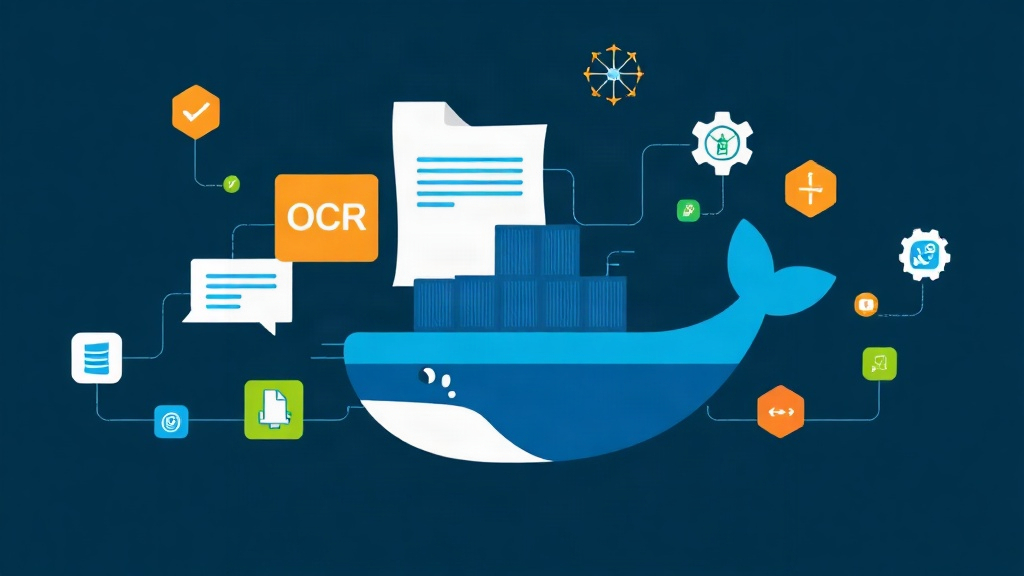
Paperless-ngx avoids a monolithic design. It splits ingestion, parsing, indexing, and serving across separate lightweight containers:
- Webserver & API (Django): Serves the dashboard UI, handles REST calls, enforces user permissions, and manages document tags, custom fields, and correspondents.
- Task Queue & Ingestion Workers (Redis): Watches the intake folder for incoming files. When you drop in a scan, the worker pulls the job from Redis, extracts embedded images, and schedules OCR asynchronously without freezing the web interface.
- OCR Engine (Tesseract 5): Generates a searchable text layer directly from rasterized page pixels. Pairing
vie.traineddatawitheng.traineddatalets Tesseract accurately parse complex Vietnamese tone marks and combined vowels (such as ư, ơ, ê, đ). - Database & Search Index (PostgreSQL & Whoosh): PostgreSQL stores document metadata, relationships, and audit logs. Whoosh manages an inverted text index that delivers sub-second keyword queries across thousands of pages.
- Document Conversion (Gotenberg & Apache Tika): Optional helper services that convert Office files (
.docx,.xlsx) into standardized, long-term PDF/A archives before handing them off to Tesseract.
Hands-on Practice: Deploying Paperless-ngx with Vietnamese OCR
Running the stack with Docker Compose isolates language binaries and keeps your host filesystem clean. We will configure multi-language OCR so the engine indexes Vietnamese and English documents in a single pass.
Step 1: Directory Structure and Permissions
Paperless-ngx needs dedicated local storage for ingested files, generated thumbnails, and the PostgreSQL database. Plan for roughly 1.5 MB to 3 MB of storage per archived page at 300 DPI.
mkdir -p ~/homelab/paperless/{consume,data,media,export,pgdata,redisdata}
cd ~/homelab/paperless

# Check your current user UID and GID (typically 1000)
id

# Grant read and write access to the container execution user
sudo chown -R 1000:1000 ~/homelab/paperless
sudo chmod -R 755 ~/homelab/paperless
Step 2: Crafting the docker-compose.yml
Save the following configuration as docker-compose.yml inside ~/homelab/paperless. Replace the placeholder database password and secret key before starting.
services:
  broker:
    image: docker.io/library/redis:7-alpine
    container_name: paperless-redis
    restart: unless-stopped
    volumes:
      - ./redisdata:/data

  db:
    image: docker.io/library/postgres:16-alpine
    container_name: paperless-postgres
    restart: unless-stopped
    environment:
      POSTGRES_DB: paperless
      POSTGRES_USER: paperless_admin
      POSTGRES_PASSWORD: ReplaceWithAStrongSecretDbPassword
    volumes:
      - ./pgdata:/var/lib/postgresql/data

  webserver:
    image: ghcr.io/paperless-ngx/paperless-ngx:latest
    container_name: paperless-web
    restart: unless-stopped
    depends_on:
      - db
      - broker
    ports:
      - "8000:8000"
    environment:
      PAPERLESS_REDIS: redis://broker:6379
      PAPERLESS_DBENGINE: postgresql
      PAPERLESS_DBHOST: db
      PAPERLESS_DBNAME: paperless
      PAPERLESS_DBUSER: paperless_admin
      PAPERLESS_DBPASS: ReplaceWithAStrongSecretDbPassword
      USERMAP_UID: 1000
      USERMAP_GID: 1000
      PAPERLESS_URL: http://192.168.1.100:8000
      PAPERLESS_SECRET_KEY: ChangeThisToRandomHexCharsForSecurity32BitMin
      PAPERLESS_TIME_ZONE: Asia/Ho_Chi_Minh
      # Configure OCR for Vietnamese with English fallback
      PAPERLESS_OCR_LANGUAGE: vie
      PAPERLESS_OCR_LANGUAGES: "vie eng"
      PAPERLESS_OCR_MODE: skip_archive
      PAPERLESS_TASK_WORKERS: 2
    volumes:
      - ./data:/usr/src/paperless/data
      - ./media:/usr/src/paperless/media
      - ./export:/usr/src/paperless/export
      - ./consume:/usr/src/paperless/consume
Step 3: Bootstrapping and Administrative Setup
Launch the stack in detached mode. During the first launch, the container fetches the vie.traineddata language pack (~15 MB) directly from the upstream repository.
docker compose up -d

# Watch startup logs and database migrations
docker compose logs -f webserver
Once you see Listening at: http://0.0.0.0:8000 in the logs, create your primary administrator account:
docker compose exec -it webserver python3 manage.py createsuperuserEnter your username, admin email, and a secure password at the prompts.
Step 4: Testing Vietnamese OCR Ingestion
Navigate to http://<your-server-ip>:8000 in your browser and sign in. Test ingestion by dropping a sample Vietnamese invoice into the consume volume:
# Copy a sample PDF into the consume folder
cp ~/test_receipt_vietnamese.pdf ~/homelab/paperless/consume/
Track the worker process as it ingests and analyzes the document:
docker compose logs -f webserver | grep -E "(Consuming|Success|OCR)"A typical two-page document processes in 4 to 10 seconds on a modern quad-core x86 CPU. Open the web interface, find the processed document, and search for specific phrases like “Hóa đơn giá trị gia tăng” or “Mã số thuế”. The dashboard highlights the matched terms directly on the PDF view.
Conclusion: Maintaining a Resilient Document Vault
Deploying the containers is straightforward; keeping your archive reliable over years of use requires three practical routines:
- Automate Daily Backups: Run
docker compose exec -T webserver document_exporter ../exportvia cron. Sync the resulting export directory andpgdatato an encrypted remote target, such as an offsite S3 bucket or secondary NAS. - Create Matching Workflows: Configure auto-tagging rules based on Vietnamese tax codes (MST). Paperless-ngx can automatically assign correspondents and document types whenever it detects a known 10-digit tax number.
- Manage Hardware Allocations: Tesseract easily saturates available CPU cores during batch ingestion. On low-power hardware like an Intel N100 or Raspberry Pi 5, set
PAPERLESS_TASK_WORKERS: 1to prevent thermal throttling and out-of-memory crashes.
A well-tuned Paperless-ngx instance turns a chaotic pile of paper into a structured, searchable knowledge base. The next time a component fails or tax season arrives, retrieval takes seconds instead of hours.