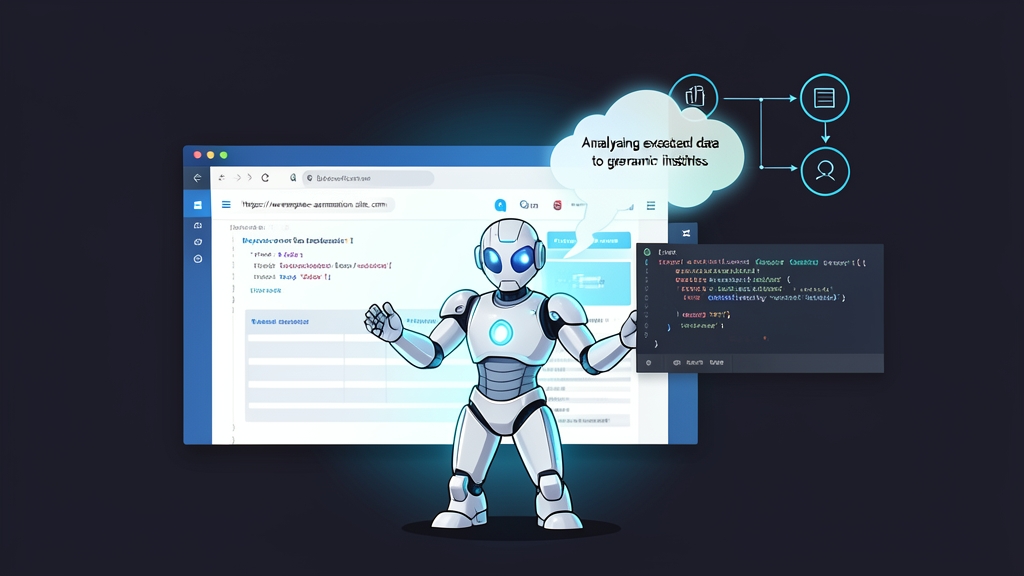
Traditional Scraping vs Headless Scripts vs Autonomous AI Agents
Every data engineering team knows the dread of the 2:00 AM PagerDuty alert triggered by a UI update. A client redesigns their navigation bar, a production dashboard shifts an element three pixels, and suddenly your brittle XPath and CSS selectors break. Modern single-page apps (SPAs) built with React or Vue make this worse. Dynamic DOM trees, hydrated client-side state, and obfuscated class names turn headless script maintenance into an endless time sink.
Web automation today splits across three distinct architectures:
- Static scraping (Scrapy, BeautifulSoup, Requests): Blazing fast and cheap—often scraping 50+ pages per second. However, it fails completely on JavaScript-hydrated DOMs, single-page apps, and canvas widgets.
- Programmed headless scripts (Playwright, Puppeteer, Selenium): Excellent for handling authentication cookies and multi-step user actions. The catch? Total structural fragility. The moment an engineering team renames an ID or changes an element hierarchy, the script crashes.
- Autonomous AI browser agents (Browser-Use + Python): The agent perceives the DOM tree and visual viewport much like an engineer sitting at a keyboard. Given high-level instructions, it calculates coordinates, handles clicks, types text, and extracts dynamic data—adapting on the fly when layouts shift.
Pros and Cons of Browser-Use for Automation
Browser-Use is an open-source Python library that connects vision-enabled LLMs directly to Playwright browser instances. Before swapping out your entire scraping pipeline, consider the engineering trade-offs.
The Advantages
- Layout resilience: When an e-commerce site renames
#cart-checkoutto.btn-primary-action, traditional scripts fail immediately. Browser-Use inspects semantic context and visual placement to locate the button anyway. - Complex navigation with zero selector code: Navigating nested pagination, dismissing cookie banners, and clearing one-time onboarding popups can be handled with plain English instructions instead of dozens of lines of procedural code.
- Visual understanding: Vision-enabled models easily parse SVG charts, dynamic dashboards, and non-semantic canvas elements where raw HTML yields nothing.
- Native Playwright foundation: You keep granular control over persistent storage states, proxy pools (e.g., Bright Data or Oxylabs), and browser launch arguments.
The Drawbacks
- Latency and token overhead: A hardcoded Playwright script checks an element in 15 milliseconds. Browser-Use sends DOM summaries or screenshots to an LLM at every step. Each decision cycle takes 1.5 to 4 seconds, and a 15-step run with
gpt-4ocan cost between $0.05 and $0.20. - Non-deterministic execution: LLMs are probabilistic. An agent might navigate directly to a product page on run one, but take an extra search filter detour on run two.
- API rate limits: Firing up 20 parallel browser agents will quickly slam against provider Tier 2 or Tier 3 rate limits without strict concurrency controls.
Recommended Setup: Environment and Prerequisites
Building reliable browser agents requires getting your local environment and dependencies right before writing automation logic. Here is the stack we use in production CI/CD runners.
System Dependencies
Make sure you have Python 3.11 or higher installed. Set up an isolated virtual environment and pull down the required Playwright browser binaries:
# Create and activate virtual environment
python3 -m venv .venv
source .venv/bin/activate

# Install browser-use, langchain adapters, and dotenv
pip install browser-use langchain-openai python-dotenv

# Install Chromium binary (~150MB download)
playwright install chromium
API Credentials
Browser-Use shines with models that support structured tool calling and image inputs. We recommend gpt-4o for accuracy or gpt-4o-mini for lower-cost bulk runs. Store your keys in a .env file:
OPENAI_API_KEY="sk-proj-your-api-key-here"
Implementation Guide: Building Your First Web Automation Agent
Let’s build a working pipeline: initializing the browser, searching an e-commerce catalog, scraping dynamic listings, and saving structured JSON data.
Step 1: Basic Search and Extract Script
A minimal agent requires only three components: an LLM instance, a target task description, and the Agent orchestrator.
import asyncio
from dotenv import load_dotenv
from langchain_openai import ChatOpenAI
from browser_use import Agent

load_dotenv()

async def run_simple_search():
    # Keep temperature at 0.0 to minimize erratic navigation
    llm = ChatOpenAI(
        model="gpt-4o",
        temperature=0.0
    )

    task_prompt = (
        "Go to https://news.ycombinator.com, find the top 3 stories "
        "related to AI or Python, and return their titles and URLs."
    )

    agent = Agent(
        task=task_prompt,
        llm=llm
    )

    history = await agent.run()
    print(history.final_result())

if __name__ == "__main__":
    asyncio.run(run_simple_search())
Step 2: Controlling the Browser Profile and Session State
Production jobs often require authenticated sessions. Storing cookies avoids re-authenticating and triggering CAPTCHAs on every run. You can configure custom BrowserConfig and BrowserContextConfig objects to persist your session to disk.
import asyncio
from langchain_openai import ChatOpenAI
from browser_use import Agent, Browser, BrowserConfig
from browser_use.browser.context import BrowserContextConfig

async def run_authenticated_session():
    # Launch with a visible GUI during development; switch headless=True in CI
    browser = Browser(
        config=BrowserConfig(
            headless=False,
            disable_security=False
        )
    )

    context_config = BrowserContextConfig(
        cookies_file="cookies.json",  # Loads and auto-saves active session cookies
        wait_for_network_idle_page_load_time=2.0
    )

    llm = ChatOpenAI(model="gpt-4o", temperature=0.0)

    agent = Agent(
        task="Open https://example.com/portal, verify the active session, and read the account balance.",
        llm=llm,
        browser=browser,
        browser_context_config=context_config
    )

    result = await agent.run(max_steps=15)
    print(result.final_result())
    await browser.close()

if __name__ == "__main__":
    asyncio.run(run_authenticated_session())
Step 3: Enforcing Structured Schema Extraction with Pydantic
Freeform text strings from an LLM are messy to parse downstream. By supplying a Pydantic model directly to Browser-Use, the agent validates extracted data against your exact types before completing the task.
import asyncio
from typing import List, Optional
from pydantic import BaseModel, Field
from langchain_openai import ChatOpenAI
from browser_use import Agent

class JobListing(BaseModel):
    title: str = Field(description="The job role title")
    company: str = Field(description="Company offering the position")
    location: str = Field(description="Remote or specific city/country")
    salary_range: Optional[str] = Field(default="Not specified", description="Compensation details")

class JobListingsOutput(BaseModel):
    listings: List[JobListing]

async def extract_structured_jobs():
    llm = ChatOpenAI(model="gpt-4o", temperature=0.0)

    task = (
        "Navigate to https://remoteok.com, search for 'DevOps', "
        "and extract the first 5 job postings with their title, company, location, and salary."
    )

    agent = Agent(
        task=task,
        llm=llm,
        output_schema=JobListingsOutput
    )

    history = await agent.run(max_steps=20)
    parsed_data = history.structured_output

    if parsed_data:
        for job in parsed_data.listings:
            print(f"{job.title} | {job.company} | {job.location} | {job.salary_range}")

if __name__ == "__main__":
    asyncio.run(extract_structured_jobs())
Step 4: Operational Best Practices for Production
Running autonomous agents in production requires tight guardrails. Keep these four operational rules in mind:
- Enforce step budgets: Set
max_stepsbetween 10 and 25 on everyagent.run()call. Without a limit, an ambiguous link or recursive redirect can waste hundreds of API calls in an infinite loop. - Mask sensitive data: Add explicit instructions in your prompt to prevent the agent from capturing or logging password fields, session tokens, or payment card numbers into trace dumps.
- Adopt a hybrid architecture: Don’t use LLM browser agents for high-throughput, predictable tasks like reading thousands of paginated tables. Use Playwright selectors where possible. Save Browser-Use for navigating unpredictable UIs, sorting through complex modal dialogs, and rescuing brittle extraction flows.