Bắt đầu nhanh (5 phút)
Năm ngoái, đội ngũ của chúng tôi cần theo dõi log kiểm toán (audit log) có phiên bản trên 120 microservice nội bộ. Việc gọi sub-process Git CLI tiêu chuẩn gây ra overhead đáng kể—khởi tạo tiến trình mới cho mỗi lần ghi log đã giới hạn thông lượng ở mức khoảng 45 lượt ghi mỗi giây.
Chúng tôi đã thay thế các lệnh gọi shell đó bằng một engine Python nội bộ gọn nhẹ, giao tiếp trực tiếp với object database. Bỏ qua lớp vỏ CLI porcelain bên ngoài sẽ để lộ một kho lưu trữ key-value định danh theo nội dung (content-addressable store) vô cùng thanh lịch. Bạn hoàn toàn có thể tự viết một bộ ghi object hoạt động tốt chỉ với chưa đầy 30 dòng code.
Mọi Git object đều bắt đầu bằng một header đơn giản: [type] [size]\0[content]. Git băm (hash) chuỗi kết hợp này bằng SHA-1 và nén lại bằng thuật toán DEFLATE qua zlib. Dưới đây là cách tạo một Git blob hợp lệ chỉ sử dụng thư viện chuẩn của Python:
import hashlib
import os
import zlib

def write_blob(data: bytes, repo_root: str = ".git") -> str:
    # Định dạng Git object: "blob <size>\0<payload>"
    header = f"blob {len(data)}\x00".encode("ascii")
    store = header + data
    sha = hashlib.sha1(store).hexdigest()

    # Object được lưu tại .git/objects/<2-ky-tu-hex-dau>/<38-ky-tu-hex-con-lai>
    obj_dir = os.path.join(repo_root, "objects", sha[:2])
    obj_path = os.path.join(obj_dir, sha[2:])

    os.makedirs(obj_dir, exist_ok=True)
    if not os.path.exists(obj_path):
        with open(obj_path, "wb") as f:
            f.write(zlib.compress(store))
    return sha

if __name__ == "__main__":
    payload = b"Hello, reproducible storage!\n"
    sha = write_blob(payload)
    print(f"Đã tạo blob: {sha}")
Để kiểm tra đoạn mã này, hãy khởi tạo một repository rỗng và chạy script:
git init test-repo
cd test-repo
python3 ../write_blob.py
# Đầu ra: Đã tạo blob: 7421375fdca039b5fae5ffeb68ad65190a4dfb67

git cat-file -p 7421375fdca039b5fae5ffeb68ad65190a4dfb67
# Đầu ra: Hello, reproducible storage!
Lệnh git gốc có thể kiểm tra object một cách liền mạch. Nó hoạt động trơn tru vì script của chúng ta tuân thủ chính xác định dạng nhị phân trên đĩa của Git.
Đi sâu vào kiến trúc: Blob, Tree và Commit
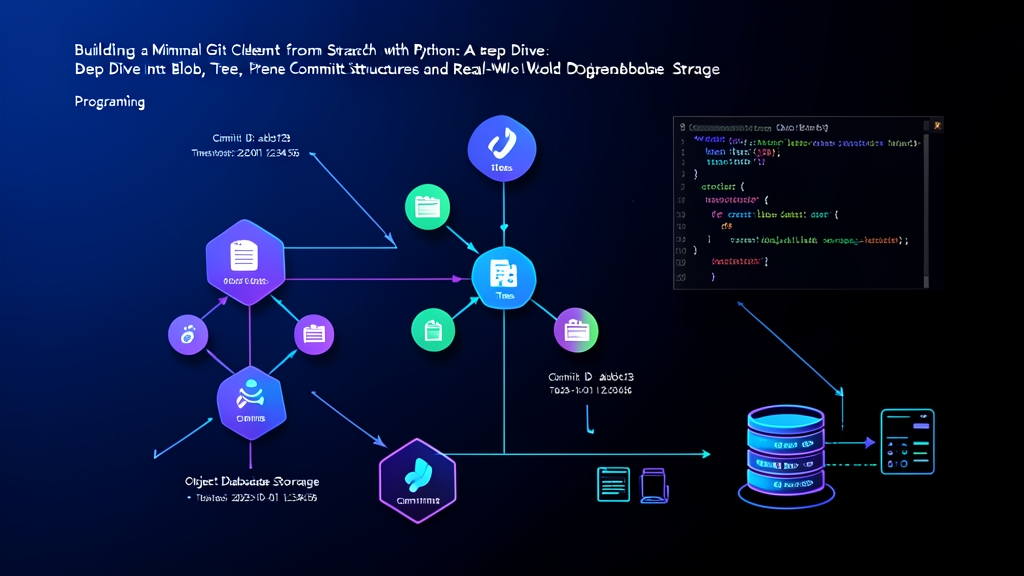
Git quản lý lịch sử sửa đổi bằng đồ thị có hướng không chu trình (DAG). Nền tảng này dựa trên bốn loại object cốt lõi: blob, tree, commit và tag. Trong đó, cơ chế lưu trữ cốt lõi phụ thuộc gần như hoàn toàn vào ba loại đầu tiên.
1. Blob: Payload dữ liệu thuần túy
Blob chỉ lưu trữ nội dung file thô và hoàn toàn tách biệt khỏi metadata. Nó không hề biết gì về tên thư mục, timestamp sửa đổi hay quyền thực thi. Giả sử bạn sao chép một file nhị phân 12 MB giống hệt nhau vào 5 thư mục khác nhau, Git sẽ chỉ ghi payload file đó xuống đĩa đúng một lần duy nhất. Việc khử trùng lặp nội dung (deduplication) diễn ra tự động vì các payload giống nhau sẽ có chung mã băm SHA-1.
2. Tree: Cấu trúc thư mục và phân quyền
Tree ánh xạ hệ thống phân cấp thư mục và file mode tương ứng với các mã băm của chúng. Mỗi bản ghi trong tree tuân theo cấu trúc nhị phân:
[mode dạng bát phân, ascii] [dấu cách] [tên file]\0[20-byte nhị phân SHA-1]Hãy lưu ý một điểm khác biệt quan trọng: các bản ghi tree lưu mã hash dưới dạng chuỗi 20-byte nhị phân thô thay vì chuỗi hex 40 ký tự. Ngoài ra, mode của thư mục được lưu là 40000 chứ không có số 0 ở đầu. Dưới đây là hàm Python để lắp ráp các tree object:
def create_tree_entry(mode: str, path: str, sha_hex: str) -> bytes:
    # Các mode chuẩn: "100644" (file thường), "100755" (file thực thi), "40000" (tree/thư mục)
    sha_bytes = bytes.fromhex(sha_hex)
    return f"{mode} {path}\x00".encode("utf-8") + sha_bytes

def write_tree(entries: list[tuple[str, str, str]], repo_root: str = ".git") -> str:
    # Git yêu cầu sắp xếp entry theo tên; thư mục sắp xếp như thể có dấu '/' ở cuối
    def sort_key(entry):
        mode, path, _ = entry
        return path + "/" if mode == "40000" else path

    sorted_entries = sorted(entries, key=sort_key)
    payload = b"".join(create_tree_entry(m, p, s) for m, p, s in sorted_entries)
    header = f"tree {len(payload)}\x00".encode("ascii")
    store = header + payload
    sha = hashlib.sha1(store).hexdigest()

    obj_dir = os.path.join(repo_root, "objects", sha[:2])
    obj_path = os.path.join(obj_dir, sha[2:])
    os.makedirs(obj_dir, exist_ok=True)
    if not os.path.exists(obj_path):
        with open(obj_path, "wb") as f:
            f.write(zlib.compress(store))
    return sha
3. Commit: Lớp bao bọc Metadata
Một commit sẽ liên kết một snapshot tree với tác giả, timestamp của người commit, commit cha tùy chọn và một thông điệp (message). Payload của nó là văn bản thuần có cấu trúc:
import time

def write_commit(tree_sha: str, parent_sha: str | None, message: str, repo_root: str = ".git") -> str:
    timestamp = int(time.time())
    timezone = "+0000"
    author_str = f"Engineer <[email protected]> {timestamp} {timezone}"

    lines = [f"tree {tree_sha}"]
    if parent_sha:
        lines.append(f"parent {parent_sha}")
    lines.append(f"author {author_str}")
    lines.append(f"committer {author_str}")
    lines.append("")
    lines.append(message.strip() + "\n")

    payload = "\n".join(lines).encode("utf-8")
    header = f"commit {len(payload)}\x00".encode("ascii")
    store = header + payload
    sha = hashlib.sha1(store).hexdigest()

    obj_dir = os.path.join(repo_root, "objects", sha[:2])
    os.makedirs(obj_dir, exist_ok=True)
    obj_path = os.path.join(obj_dir, sha[2:])
    if not os.path.exists(obj_path):
        with open(obj_path, "wb") as f:
            f.write(zlib.compress(store))
    return sha
Sử dụng nâng cao: Quản lý Reference và duyệt lịch sử
Các immutable object mang lại tính toàn vẹn dữ liệu. Tuy nhiên, để điều hướng qua lại giữa chúng, bạn cần các con trỏ khả biến (mutable pointers): các branch và HEAD.
Cập nhật HEAD và Branch Reference
Branch thực chất không phải là cấu trúc dữ liệu phức tạp. Chúng chỉ là các file text đơn giản chứa chuỗi hash commit 40 ký tự kèm theo một dấu xuống dòng. File HEAD thường chứa một tham chiếu tượng trưng (symbolic reference) trỏ tới file branch đang hoạt động:
def update_branch(branch_name: str, commit_sha: str, repo_root: str = ".git"):
    ref_path = os.path.join(repo_root, "refs", "heads", branch_name)
    os.makedirs(os.path.dirname(ref_path), exist_ok=True)
    with open(ref_path, "w") as f:
        f.write(f"{commit_sha}\n")

def set_symbolic_head(branch_name: str, repo_root: str = ".git"):
    head_path = os.path.join(repo_root, "HEAD")
    with open(head_path, "w") as f:
        f.write(f"ref: refs/heads/{branch_name}\n")
Duyệt đồ thị Commit (Commit Graph Traversal)
Bạn có thể duyệt qua lịch sử sửa đổi mà không cần chạy binary Git bên ngoài. Hãy đọc commit bắt đầu, trích xuất trường parent và lặp ngược trở lại:
def read_object(sha: str, repo_root: str = ".git") -> tuple[str, bytes]:
    path = os.path.join(repo_root, "objects", sha[:2], sha[2:])
    with open(path, "rb") as f:
        decompressed = zlib.decompress(f.read())
    header_end = decompressed.index(b"\x00")
    header = decompressed[:header_end].decode("ascii")
    obj_type, _ = header.split(" ")
    return obj_type, decompressed[header_end + 1:]

def log_history(start_commit_sha: str, repo_root: str = ".git"):
    curr = start_commit_sha
    while curr:
        _, payload = read_object(curr, repo_root)
        lines = payload.decode("utf-8", errors="replace").splitlines()
        parent = None
        message = []
        in_msg = False

        for line in lines:
            if in_msg:
                message.append(line)
            elif line.startswith("parent "):
                parent = line.split(" ", 1)[1]
            elif line == "":
                in_msg = True

        print(f"commit {curr}")
        print(f"    {chr(10).join(message)}\n")
        curr = parent
Lời khuyên thực tế
Việc ghi trực tiếp vào Git repository trong điều kiện đồng thời (concurrency) sẽ bộc lộ những điểm đặc thù hiếm khi được đề cập trong các bài hướng dẫn thông thường:
- Sử dụng Atomic Rename: Đừng bao giờ stream dữ liệu ghi trực tiếp vào
.git/objects/xx/yy. Một tiến trình đọc đồng thời có thể gặp phải file chưa ghi xong và gặp lỗicorrupt loose object. Thay vào đó, hãy ghi vào một file tạm trong.git/objects/trước, sau đó hoán đổi vị trí nguyên tử bằngos.replace(). - Tuân thủ Mode chuẩn của Tree: File thông thường sử dụng
100644và file thực thi dùng100755. Thư mục yêu cầu mode40000không có số 0 ở đầu. Việc truyền vào040000sẽ khiến lệnhgit fsck --stricttừ chối tree đó. - Chú ý số lượng Inode của thư mục: Mỗi loose object chiếm một inode trên hệ thống tệp Linux (ext4/xfs). Nếu bạn ghi 500.000 object trong quá trình import dữ liệu hàng loạt mà không đóng gói (pack), hệ thống có thể cạn kiệt inode đĩa trước khi hết dung lượng đĩa. Hãy chạy
git repack -dhoặcgit gc --prune=nowđịnh kỳ trong các đợt nạp dữ liệu lớn. - Sắp xếp các Tree Entry cẩn thận: Cơ chế so sánh tree của Git yêu cầu thứ tự sắp xếp rất nghiêm ngặt. Các entry của subtree phải được sắp xếp như thể đường dẫn của chúng có một dấu gạch chéo ở cuối (
foo/so vớifoo.txt). Việc so sánh chuỗi thông thường trong Python có thể tạo ra thứ tự tree sai lệch, không vượt qua được bước kiểm tra hợp lệ của Git.