
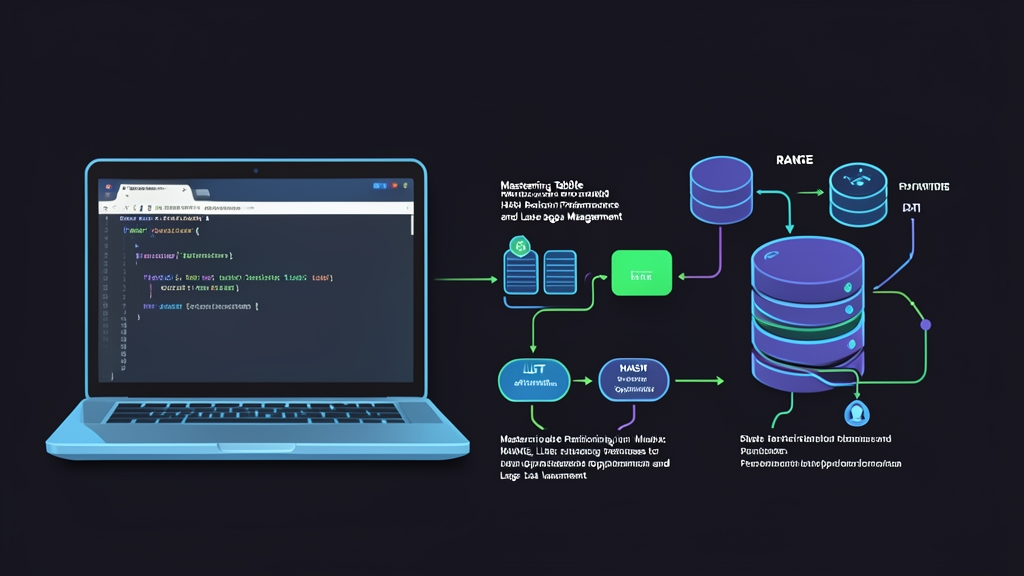
When Your MySQL Table Becomes a Performance Bottleneck
At some point, almost every database-backed application hits a wall. Queries that used to run in milliseconds start taking seconds. Your orders table has 50 million rows, your indexes are in place, but MySQL still scans through mountains of data to find what you need.
The culprit is almost always the same thing: all your data lives in one flat, monolithic table. Even with indexes, the query planner has to work harder as the dataset grows. Table partitioning gives MySQL a way to physically split that data into smaller chunks — then query only the relevant chunk instead of the entire table.
This is not about sharding across multiple servers. Partitioning happens within a single MySQL instance, and your application code does not need to change. You query the table the same way; MySQL figures out which partition to look at.
Context & Why: What Partitioning Actually Does
MySQL stores each partition as a separate segment on disk. When you run a query with a filter on the partition key, MySQL applies partition pruning — it skips partitions that cannot possibly contain your data. If you have 12 monthly partitions and query for January records, MySQL reads only the January partition instead of scanning all 12.
Here’s where the numbers get interesting. On a 500 million row table split into 12 monthly partitions, a date-range query that previously scanned 500M rows might touch only ~42M. Same indexes, same query syntax, dramatically better performance.
Data cleanup is where partitioning really shines. Dropping last year’s data? Instead of a slow DELETE FROM orders WHERE year = 2022 that locks the table for hours, you run ALTER TABLE orders DROP PARTITION p2022 — instant, because you are just removing a file from disk.
Three partition types cover most use cases:
- RANGE — assigns rows based on a column falling within a contiguous range (most common for time-series data)
- LIST — assigns rows based on a column matching a discrete set of values (good for regions, status codes, categories)
- HASH — distributes rows evenly across N partitions using a hash function (good for load distribution when no natural range boundary exists)
Installation: Verifying Partition Support
Partitioning is built into MySQL 5.6 and later — available in all current versions including 8.0 and 8.4. No separate installation is needed. Verify it is active:
SHOW PLUGINS WHERE Name = 'partition';You should see partition | ACTIVE | STORAGE ENGINE. On MySQL 8.0+, partitioning is always compiled in.
One constraint worth knowing upfront: every unique index (including the primary key) must include the partition column. This is a hard MySQL requirement. Got a simple auto-increment primary key? You will need to either fold the partition column into a composite primary key, or rethink your key design before you start.
Also check your MySQL version since syntax differences exist between 5.7 and 8.0:
SELECT VERSION();Configuration: Implementing the Three Partition Types
RANGE Partitioning — The Date-Range Workhorse
Most teams start with RANGE partitioning, particularly for time-series tables like logs, orders, or events. You define contiguous value ranges, and MySQL assigns each row to the matching partition.
CREATE TABLE orders (
    order_id    INT NOT NULL,
    customer_id INT NOT NULL,
    order_date  DATE NOT NULL,
    amount      DECIMAL(10,2),
    PRIMARY KEY (order_id, order_date)
)
PARTITION BY RANGE (YEAR(order_date)) (
    PARTITION p2022 VALUES LESS THAN (2023),
    PARTITION p2023 VALUES LESS THAN (2024),
    PARTITION p2024 VALUES LESS THAN (2025),
    PARTITION p2025 VALUES LESS THAN (2026),
    PARTITION p_future VALUES LESS THAN MAXVALUE
);
That MAXVALUE catch-all partition is not optional. Without it, MySQL rejects any row that falls outside a defined range — which means your first insert on January 1st of a new year blows up with an error.
Adding a new partition before the year turns over:
ALTER TABLE orders ADD PARTITION (
    PARTITION p2026 VALUES LESS THAN (2027)
);
Dropping old data is the killer feature of RANGE partitioning:
-- Drops all 2022 data instantly, no table scan, no lock
ALTER TABLE orders DROP PARTITION p2022;
When migrating an existing table into a partitioned structure, the usual workflow is to export data as CSV, then reimport into the new schema. I keep a browser tab open with toolcraft.app/en/tools/data/csv-to-json for quick inspection of exported data — it auto-detects delimiters and converts CSV to JSON entirely in the browser, so the data never leaves my machine. That matters a lot when the export contains order records or customer data.
LIST Partitioning — When Values Come from a Fixed Set
LIST partitioning assigns rows based on exact value matches against a predefined list. Classic territory: multi-region systems where you want to co-locate data by geography or status.
CREATE TABLE customers (
    customer_id INT NOT NULL,
    region      VARCHAR(10) NOT NULL,
    name        VARCHAR(100),
    email       VARCHAR(255),
    PRIMARY KEY (customer_id, region)
)
PARTITION BY LIST COLUMNS (region) (
    PARTITION p_asia     VALUES IN ('JP', 'KR', 'CN', 'SG', 'TH'),
    PARTITION p_europe   VALUES IN ('DE', 'FR', 'GB', 'NL', 'IT'),
    PARTITION p_americas VALUES IN ('US', 'CA', 'BR', 'MX')
);
Notice LIST COLUMNS rather than plain LIST. The COLUMNS variant accepts string values directly. Plain LIST only works with integer expressions, which makes it awkward for ISO country codes.
One hard gotcha: insert a row with a region value that is not in any partition list, and MySQL throws an error. Plan your value coverage upfront. If the value set is not fully controlled by your application, add a catch-all partition to avoid surprises in production.
Reorganizing partitions later is possible without data loss:
-- Split p_americas into two separate partitions
ALTER TABLE customers REORGANIZE PARTITION p_americas INTO (
    PARTITION p_north_america VALUES IN ('US', 'CA', 'MX'),
    PARTITION p_south_america VALUES IN ('BR', 'AR', 'CL', 'CO')
);
HASH Partitioning — Even Distribution Without Business Logic
HASH partitioning does not require you to define ranges or value sets. Give MySQL a column and a partition count, and it distributes rows evenly using modulo arithmetic. Best for tables where you need consistent load distribution but have no natural range or category boundary.
CREATE TABLE user_sessions (
    session_id  VARCHAR(64) NOT NULL,
    user_id     INT NOT NULL,
    created_at  DATETIME NOT NULL,
    payload     JSON,
    PRIMARY KEY (session_id, user_id)
)
PARTITION BY HASH (user_id)
PARTITIONS 8;
Each row lands in partition number user_id MOD 8. The distribution stays even as long as user IDs are reasonably spread out — sequential auto-increment IDs work well here.
Fair warning though: HASH partitioning does not help with query pruning the way RANGE does. Unless you filter by the exact hash key value, MySQL scans all partitions. Use HASH when your goal is parallel I/O and storage distribution, not selective scanning.
For more dynamic workloads, MySQL also offers LINEAR HASH, which uses a power-of-two algorithm. Adding or removing partitions is faster, but the distribution is slightly less uniform.
Verification & Monitoring: Making Sure Partitioning Actually Helps
Checking Partition Structure and Row Distribution
Your first stop after creating a partitioned table should be information_schema.PARTITIONS:
SELECT
    PARTITION_NAME,
    TABLE_ROWS,
    FORMAT(DATA_LENGTH / 1024 / 1024, 2) AS data_mb,
    FORMAT(INDEX_LENGTH / 1024 / 1024, 2) AS index_mb
FROM information_schema.PARTITIONS
WHERE TABLE_SCHEMA = 'your_db'
  AND TABLE_NAME = 'orders'
ORDER BY PARTITION_ORDINAL_POSITION;
This shows row counts and storage sizes per partition. Use it to spot uneven distribution in HASH/LIST partitions, or to see how much data each time period holds as your table grows.
Verifying Partition Pruning with EXPLAIN
The entire performance benefit of RANGE partitioning depends on pruning working correctly. Confirm it:
EXPLAIN
SELECT * FROM orders
WHERE order_date BETWEEN '2024-01-01' AND '2024-12-31';
Check the partitions column in the EXPLAIN output. If you see only p2024, pruning is working. If you see all partitions listed, something is blocking it — usually a function call wrapping the partition column.
This is the most common pruning pitfall:
-- BAD: wrapping the column in a function breaks pruning — MySQL scans all partitions
WHERE DATE_FORMAT(order_date, '%Y') = '2024'

-- GOOD: direct column comparison allows pruning — MySQL reads only p2024
WHERE order_date >= '2024-01-01' AND order_date < '2025-01-01'
Working with Timestamps in Partition Planning
Epoch-based RANGE partitions are common for log tables. When I need to calculate the correct VALUES LESS THAN boundary in Unix timestamp format, I use toolcraft.app/en/tools/datetime/timestamp-converter to convert between human-readable dates and Unix timestamps. It handles multiple timezones, which matters when your data spans regions and you need partition boundaries to align with UTC midnight rather than local time.
-- RANGE partitioning on a Unix timestamp column
CREATE TABLE access_logs (
    log_id      BIGINT NOT NULL AUTO_INCREMENT,
    user_id     INT NOT NULL,
    logged_at   INT UNSIGNED NOT NULL,  -- Unix timestamp
    path        VARCHAR(500),
    PRIMARY KEY (log_id, logged_at)
)
PARTITION BY RANGE (logged_at) (
    PARTITION p_2024_q1 VALUES LESS THAN (1711929600),  -- 2024-04-01 00:00:00 UTC
    PARTITION p_2024_q2 VALUES LESS THAN (1719792000),  -- 2024-07-01 00:00:00 UTC
    PARTITION p_2024_q3 VALUES LESS THAN (1727740800),  -- 2024-10-01 00:00:00 UTC
    PARTITION p_2024_q4 VALUES LESS THAN (1735689600),  -- 2025-01-01 00:00:00 UTC
    PARTITION p_future  VALUES LESS THAN MAXVALUE
);
When Not to Partition
Partitioning is not always the right answer. Tables under a few million rows usually see no benefit — the overhead of partition metadata and planning can actually slow queries down. Full-text indexes, foreign key constraints, and some spatial index types do not work with partitioned tables. Queries that cannot be pruned (because they filter on a non-partition column) may also run marginally slower than on a non-partitioned table.
Sweet spot for partitioning: your table is pushing tens of millions of rows or more, your most common queries filter on a column that makes a natural partition key — usually a date or a fixed-category column — and you have ongoing lifecycle needs like archiving or dropping old records. All three? Partitioning will almost certainly outperform additional indexes. And you will not touch a single line of application code to get there.