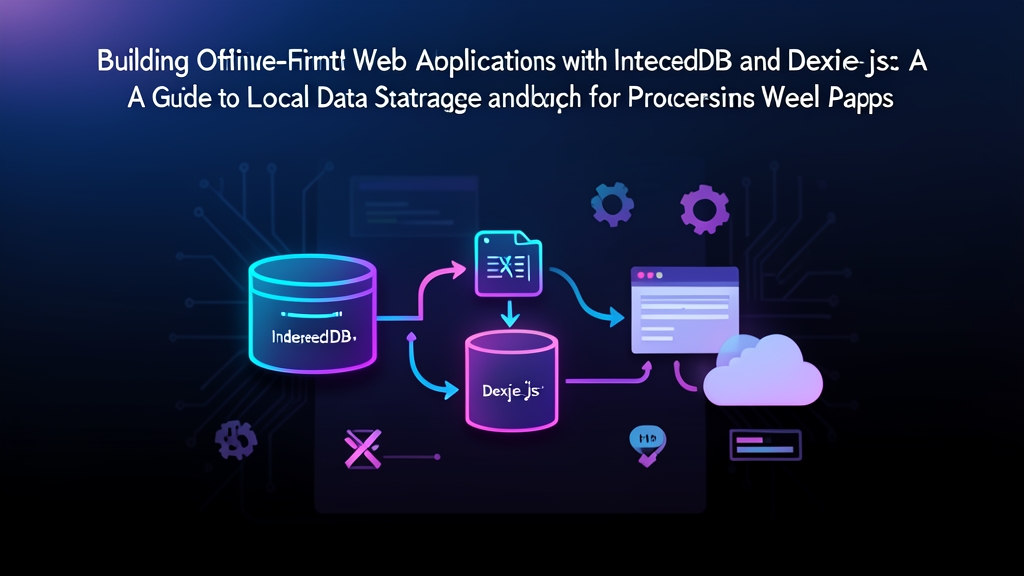
Context & Why
Most web apps assume an uninterrupted internet connection. The moment a user steps into an elevator, boards a flight, or drives through a cellular dead zone, that assumption breaks. Spinners freeze. Unsaved form entries disappear. API calls fail with cryptic network errors. Building frontends that treat dropped connections as rare anomalies produces brittle software and frustrated users.
Offline-first development flips that priority. Your app treats local browser storage as its source of truth. When someone creates an invoice or updates inventory, the change writes immediately to the device disk. The UI updates instantly—zero network round-trip required. Synchronization runs in the background. If connectivity is solid, changes sync to the server in milliseconds. If the connection drops, mutations wait in an indexed local queue until the device reconnects.
Browsers give us a few local storage options, but they are not created equal. The familiar localStorage API blocks the main JavaScript thread, caps total capacity at roughly 5MB per origin, and stores only raw strings. That makes it unsuitable for large datasets.
Native IndexedDB solves those limits. It is asynchronous, handles transactions, and can store gigabytes of structured binary and JSON data. In Chromium browsers, IndexedDB can consume up to 60% of available disk space, giving you room for tens of thousands of offline records.
Raw IndexedDB comes with a catch: the native API is notoriously verbose. Working with legacy event callbacks like onsuccess, onerror, and onupgradeneeded turns routine CRUD operations into dozens of lines of defensive boilerplate. Uncaught transaction errors can fail silently and leave database connections hanging.
Dexie.js solves this pain point. At roughly 24KB minified and gzipped, Dexie provides a clean, Promise-based abstraction over IndexedDB. You get intuitive querying, built-in transaction lifecycles, and painless schema versioning without sacrificing native engine performance.
Installation
Set up your project with Dexie and a client-side UUID generator. Client-generated IDs let your frontend assign stable entity keys immediately. This prevents key collisions when batch-syncing offline changes back to your PostgreSQL or MongoDB backend.
# Using npm
npm install dexie uuid
npm install --save-dev @types/uuid

# Using pnpm
pnpm add dexie uuid
pnpm add -D @types/uuid
Service Worker Background Sync requires a secure context. Ensure your local dev server runs on localhost or over HTTPS. Browsers will refuse to register service worker sync handlers over plain HTTP.
Configuration
Our offline architecture relies on two pieces: an IndexedDB schema managing local records alongside an outbox queue, and a sync engine that processes pending requests when network access returns.
1. Defining the Database Schema with Dexie
Create a database configuration file at db.ts. We will define two stores: inventory for cached domain records and syncQueue for our transactional outbox.
import Dexie, { Table } from 'dexie';

export interface InventoryItem {
  id: string;
  name: string;
  sku: string;
  quantity: number;
  updatedAt: number;
}

export interface OutboxMutation {
  id: string;
  action: 'CREATE' | 'UPDATE' | 'DELETE';
  endpoint: string;
  payload: Record<string, unknown>;
  timestamp: number;
  retryCount: number;
}

export class AppDatabase extends Dexie {
  inventory!: Table<InventoryItem, string>;
  syncQueue!: Table<OutboxMutation, string>;

  constructor() {
    super('AppOfflineDatabase');

    // In Dexie, the first indexed field is always the primary key.
    // Additional indexed properties follow in a comma-separated list.
    this.version(1).stores({
      inventory: 'id, sku, updatedAt',
      syncQueue: 'id, timestamp, retryCount'
    });
  }
}

export const db = new AppDatabase();
2. The Outbox Repository Pattern
Network interruptions can strike at any millisecond. To prevent the UI state from diverging from the sync queue, wrap both mutations inside a single atomic Dexie transaction. Both writes succeed together, or neither does.
import { v4 as uuidv4 } from 'uuid';
import { db, InventoryItem, OutboxMutation } from './db';
import { triggerSyncProcess } from './syncService';

export async function saveInventoryItem(
  itemData: Omit<InventoryItem, 'id' | 'updatedAt'>
): Promise<InventoryItem> {
  const now = Date.now();
  const newItem: InventoryItem = {
    ...itemData,
    id: uuidv4(),
    updatedAt: now
  };

  const mutation: OutboxMutation = {
    id: uuidv4(),
    action: 'CREATE',
    endpoint: '/api/v1/inventory',
    payload: newItem as unknown as Record<string, unknown>,
    timestamp: now,
    retryCount: 0
  };

  // Atomic dual-write: updates local UI table and enqueues sync request
  await db.transaction('rw', [db.inventory, db.syncQueue], async () => {
    await db.inventory.put(newItem);
    await db.syncQueue.put(mutation);
  });

  // Kick off immediate sync if the client is currently online
  triggerSyncProcess();

  return newItem;
}
3. Background Synchronization Engine
Create syncService.ts. This module inspects the outbox, sends queued HTTP requests in chronological order, and discards items once the server acknowledges them.
import { db } from './db';

let isSyncing = false;
const MAX_RETRIES = 5;

export async function triggerSyncProcess(): Promise<void> {
  // Quick connectivity check; avoids spinning cycles while offline
  if (!navigator.onLine || isSyncing) {
    return;
  }

  isSyncing = true;

  try {
    // Drain pending records FIFO to preserve mutation order
    const pendingMutations = await db.syncQueue
      .orderBy('timestamp')
      .toArray();

    for (const mutation of pendingMutations) {
      try {
        const response = await fetch(mutation.endpoint, {
          method: mutation.action === 'CREATE' ? 'POST' : 'PUT',
          headers: {
            'Content-Type': 'application/json',
            'X-Idempotency-Key': mutation.id
          },
          body: JSON.stringify(mutation.payload)
        });

        if (response.ok) {
          // Server accepted the change; remove it from local queue
          await db.syncQueue.delete(mutation.id);
        } else if (response.status >= 400 && response.status < 500) {
          // 4xx errors indicate invalid payloads or schema mismatches.
          // Drop the record to prevent permanent head-of-line blocking.
          console.error(`Unrecoverable validation error (${response.status}) on mutation ${mutation.id}`);
          await db.syncQueue.delete(mutation.id);
        } else {
          // 5xx errors mean transient server trouble; increment retry counter
          await handleSyncFailure(mutation.id, mutation.retryCount);
        }
      } catch (networkError) {
        // Socket closed or connection dropped; halt queue processing
        console.warn('Network unreachable mid-sync. Pausing queue.', networkError);
        break;
      }
    }
  } finally {
    isSyncing = false;
  }
}

async function handleSyncFailure(id: string, currentRetries: number): Promise<void> {
  if (currentRetries + 1 >= MAX_RETRIES) {
    console.error(`Mutation ${id} reached 5 failed retries. Quarantining.`);
    await db.syncQueue.delete(id);
  } else {
    await db.syncQueue.update(id, { retryCount: currentRetries + 1 });
  }
}

// Automatically resume syncing whenever network interfaces re-establish link
window.addEventListener('online', () => {
  console.info('Connection restored. Flusing outbox queue...');
  triggerSyncProcess();
});
4. Registering Service Worker Background Sync
Browsers close active JavaScript execution contexts when users navigate away or shut a tab. The SyncManager API solves this by delegating retry duties directly to the browser service worker daemon.
Note that browser support varies. Chromium browsers (Chrome, Edge, Brave) fully support the Background Sync API. Safari and Firefox currently do not. Your client code should feature-detect SyncManager and fall back smoothly to the standard window online event listener.
export async function registerBackgroundSyncTask(tag: string): Promise<void> {
  if ('serviceWorker' in navigator && 'SyncManager' in window) {
    const registration = await navigator.serviceWorker.ready;
    try {
      // Delegates outbox replay to the ServiceWorker background process
      await (registration as any).sync.register(tag);
      return;
    } catch (err) {
      console.warn('Background sync registration failed. Using in-page fallback.', err);
    }
  }

  // Fallback for Safari, Firefox, or unsupported webviews
  triggerSyncProcess();
}
Verification & Monitoring
Never assume an offline pipeline works until you test it under artificial packet drops and inspect local storage consumption.
1. Inspecting IndexedDB and Network State in DevTools
- Open Chrome DevTools (
F12orCmd+Option+I) and select the Application tab. - Expand Storage > IndexedDB > AppOfflineDatabase. Verify that both
inventoryandsyncQueuetables exist. - Switch to the Network tab. Change throttling from No throttling to Offline.
- Save a new inventory item in your app. The record appears immediately in your UI components and writes to both tables in IndexedDB. DevTools will show zero failed network requests because no fetch was fired blindly into the void.
- Flip the Network preset back to Online (or Fast 4G). Watch the
syncQueuetable clear within 500ms as HTTPPOSTrequests succeed with status 200 or 201 in the Network log.
2. Simulating Background Sync Events
You do not need to toggle hardware Wi-Fi switches to test service workers. In DevTools, go to Application > Service Workers. Locate the Sync input field, enter your registered sync tag (such as inventory-sync), and click Trigger Sync. DevTools will fire a synthetic sync event directly into your worker script.
3. Storage Quota and Telemetry Auditing
Mobile devices with tight flash storage can evict temporary IndexedDB partitions without warning. You can protect your app by checking quota usage and asking the browser for persistent storage grants.
export async function auditStorageHealth(): Promise<void> {
  if (!navigator.storage?.estimate) {
    return;
  }

  const { usage, quota } = await navigator.storage.estimate();
  const usedMb = ((usage ?? 0) / (1024 * 1024)).toFixed(2);
  const quotaMb = ((quota ?? 0) / (1024 * 1024)).toFixed(2);
  const percentUsed = usage && quota ? ((usage / quota) * 100).toFixed(1) : '0';

  console.info(`Local Storage: ${usedMb} MB used of ${quotaMb} MB available (${percentUsed}%).`);

  // Request persistent storage so the browser will not purge your IndexedDB cache under disk pressure
  if (navigator.storage.persist) {
    const isPersistent = await navigator.storage.persist();
    console.info(`Persistent storage granted: ${isPersistent}`);
  }
}
Pairing Dexie.js with an outbox sync worker turns unreliable networks from a fatal error into a background detail. Your UI stays responsive, mutations survive browser restarts, and your backend gets clean, duplicate-free data every time.