The Midnight Cache Outage
It is 2:00 AM on a Friday, and traffic spikes to 15,000 requests per second. Your primary Redis instance runs out of memory and crashes. If you run a standalone Redis node, everything unravels fast. User sessions vanish, API rate limits stop enforcing, and 50,000 backend database queries per minute hit your PostgreSQL or MySQL database at once. That cascade is the classic cache stampede.
Redis excels at in-memory caching and session handling. Standalone Redis, however, provides zero automated recovery. Standard master-replica replication offloads reads, but it leaves writes broken when the master dies. Without an orchestration layer, a replica will never promote itself. An engineer must wake up, log into the server, run REPLICAOF NO ONE, and update application connection strings across every running container or pod.
That manual drill usually takes 15 to 30 minutes of messy downtime. Sentinel eliminates this bottleneck by monitoring the cluster continuously and promoting a healthy replica within seconds.
How Redis Sentinel Handles Failover
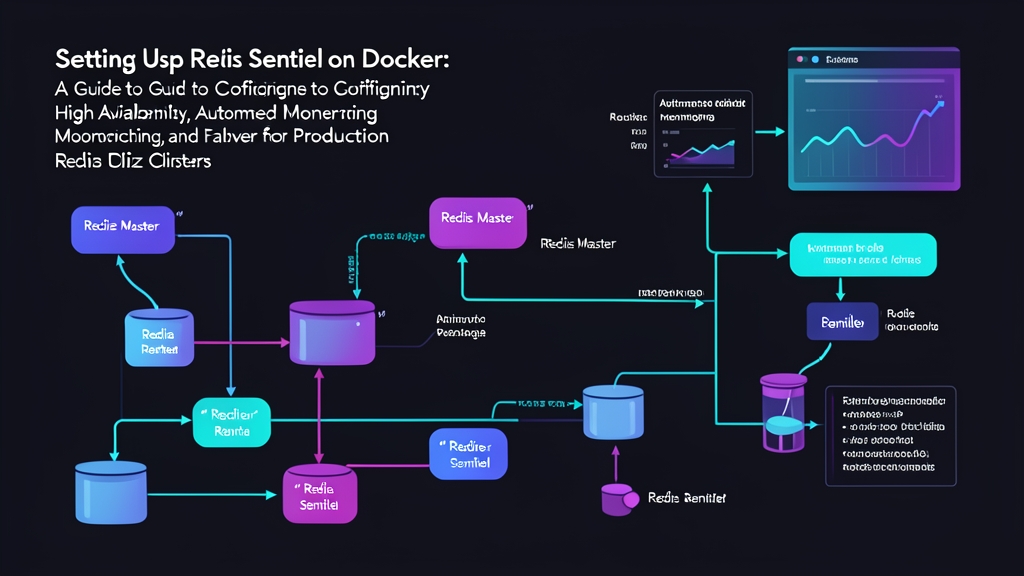
Redis Sentinel runs as a lightweight supervisory process alongside your database instances. It handles four distinct jobs:
- Health Monitoring: Pings the master and replicas once per second via periodic
PINGcommands. - Alerting: Publishes notifications over Pub/Sub channels when node statuses flip.
- Automated Failover: Promotes the replica with the lowest replication offset to master if the current leader stops responding.
- Configuration Provider: Tells clients which instance is currently serving writes so applications do not need hardcoded IP addresses.
Quorum and Split-Brain Protection
Production environments require at least three Sentinel nodes placed across distinct failure domains. Sentinel relies on a quorum threshold to declare an instance objectively dead (ODOWN). If a single Sentinel loses communication with the master for longer than down-after-milliseconds (for example, 5,000 ms), it flags the node as subjectively down (SDOWN).
Once two out of three Sentinels agree on the outage, they trigger an election via the Raft-like consensus protocol. One Sentinel becomes the leader, issues the promotion command, and reconfigures the remaining replicas. Using three nodes prevents split-brain scenarios, where an isolated network partition mistakenly creates two competing masters.
Deploying Redis Sentinel with Docker Compose
Docker container networking adds a layer of abstraction. Because Sentinel rewrites its own configuration file at runtime, each Sentinel container needs an independent, writable config file rather than sharing a single host mount. Below is a practical setup with one master, two replicas, and three Sentinels.
1. Directory Structure
Set up isolated directories and generate three dedicated Sentinel config copies:
mkdir -p redis-sentinel-docker/{sentinel,redis}
cd redis-sentinel-docker
2. Master and Replica Redis Configuration
Create redis/redis.conf. A shared authentication password protects all database nodes:
# redis/redis.conf
protected-mode no
requirepass SecretAuth2026!
masterauth SecretAuth2026!
appendonly yes
3. Sentinel Configuration Files
Sentinel modifies its configuration on the fly when state changes. Create three separate files—sentinel/sentinel-1.conf, sentinel/sentinel-2.conf, and sentinel/sentinel-3.conf—with identical initial parameters:
# sentinel/sentinel-1.conf (repeat for 2 and 3)
port 26379
protected-mode no
dir /tmp

# monitor <master-group-name> <host> <port> <quorum>
sentinel monitor mymaster redis-master 6379 2
sentinel auth-pass mymaster SecretAuth2026!
sentinel down-after-milliseconds mymaster 5000
sentinel failover-timeout mymaster 10000
sentinel parallel-syncs mymaster 1
4. Docker Compose Setup
Define all six nodes inside docker-compose.yml on a shared bridge network:
version: '3.8'

networks:
  redis-net:
    driver: bridge

services:
  redis-master:
    image: redis:7.2-alpine
    container_name: redis-master
    command: ["redis-server", "/usr/local/etc/redis/redis.conf"]
    volumes:
      - ./redis/redis.conf:/usr/local/etc/redis/redis.conf
    ports:
      - "6379:6379"
    networks:
      - redis-net

  redis-replica-1:
    image: redis:7.2-alpine
    container_name: redis-replica-1
    command: ["redis-server", "/usr/local/etc/redis/redis.conf", "--replicaof", "redis-master", "6379"]
    volumes:
      - ./redis/redis.conf:/usr/local/etc/redis/redis.conf
    depends_on:
      - redis-master
    networks:
      - redis-net

  redis-replica-2:
    image: redis:7.2-alpine
    container_name: redis-replica-2
    command: ["redis-server", "/usr/local/etc/redis/redis.conf", "--replicaof", "redis-master", "6379"]
    volumes:
      - ./redis/redis.conf:/usr/local/etc/redis/redis.conf
    depends_on:
      - redis-master
    networks:
      - redis-net

  sentinel-1:
    image: redis:7.2-alpine
    container_name: sentinel-1
    command: ["redis-sentinel", "/etc/redis/sentinel.conf"]
    volumes:
      - ./sentinel/sentinel-1.conf:/etc/redis/sentinel.conf
    depends_on:
      - redis-master
      - redis-replica-1
      - redis-replica-2
    ports:
      - "26379:26379"
    networks:
      - redis-net

  sentinel-2:
    image: redis:7.2-alpine
    container_name: sentinel-2
    command: ["redis-sentinel", "/etc/redis/sentinel.conf"]
    volumes:
      - ./sentinel/sentinel-2.conf:/etc/redis/sentinel.conf
    depends_on:
      - redis-master
      - redis-replica-1
      - redis-replica-2
    ports:
      - "26380:26379"
    networks:
      - redis-net

  sentinel-3:
    image: redis:7.2-alpine
    container_name: sentinel-3
    command: ["redis-sentinel", "/etc/redis/sentinel.conf"]
    volumes:
      - ./sentinel/sentinel-3.conf:/etc/redis/sentinel.conf
    depends_on:
      - redis-master
      - redis-replica-1
      - redis-replica-2
    ports:
      - "26381:26379"
    networks:
      - redis-net
5. Verifying Cluster Topology
Start the environment in detached mode:
docker compose up -d
Confirm the master detects both replicas:
docker exec -it redis-master redis-cli -a SecretAuth2026! info replication
The command outputs role:master and confirms connected_replicas:2. Next, query sentinel-1 to verify cluster monitoring:
docker exec -it sentinel-1 redis-cli -p 26379 sentinel master mymaster
The response lists the master’s container IP alongside num-slaves: 2 and num-other-sentinels: 2.
6. Testing the Failover Sequence
Simulate an unexpected master failure by stopping the container:
docker stop redis-master
Follow the logs on sentinel-1 immediately to observe the transition:
docker logs -f sentinel-1
Within five to seven seconds, the log streams the election lifecycle:
+sdown master mymaster 172.20.0.2 6379: Local ping timeout reached at 5,000 ms.+odown master mymaster 172.20.0.2 6379 #quorum 2/2: Quorum confirmed by peer Sentinels.+vote-for-leader ...: Sentinels elect the failover coordinator.+promoted-slave ...: Replica 1 or Replica 2 assumes the master role.+switch-master mymaster ...: Sentinel rebinds the primary target to the new IP.
Check the current active master through Sentinel:
docker exec -it sentinel-1 redis-cli -p 26379 sentinel get-master-addr-by-name mymaster
Sentinel will return the IP address of the newly promoted container. Start the original master back up with docker start redis-master. Sentinel immediately reconfigures it as a replica under the new master, safeguarding write integrity.
Application Integration
Direct IP connections will break during a failover. Applications must use a Sentinel-aware client library—such as ioredis in Node.js, redis-py with Sentinel helpers, or Spring Data Redis in Java.
These drivers connect to the Sentinel ports (26379, 26380, 26381) first, resolve the current master dynamically, and subscribe to +switch-master events. When a node fails, your application reconnects to the new leader automatically, holding write interruption down to just a few seconds.