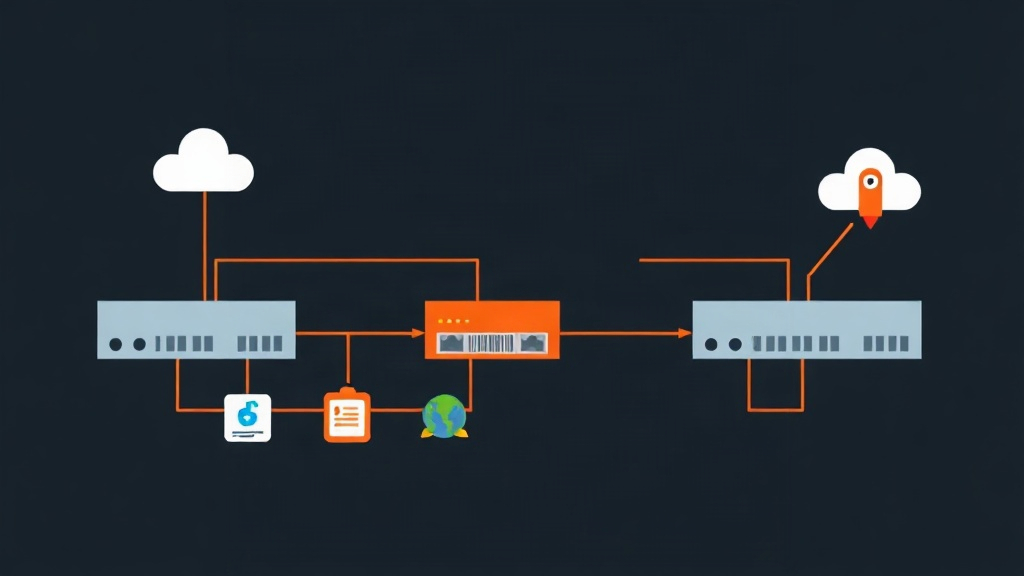
Context & Why: When Plain IPsec Breaks OSPF at 2 AM
It’s 2:15 AM on a Saturday. Your monitoring dashboard fires a wall of alerts: subnets across three remote branch offices have vanished from the core routing table. On the edge routers, phase 1 and phase 2 IPsec Security Associations (SAs) show active and healthy. Yet your OSPF daemon sits stalled in the INIT state, unable to form a working neighbor adjacency.
Here is why that happens: standard policy-based IPsec tunnel mode only encrypts unicast IP packets matching explicit traffic selectors. It discards broadcast and multicast packets entirely.
OSPF relies on multicast hello packets sent to 224.0.0.5 (all OSPF routers) and 224.0.0.6 (all designated routers) every 5 to 10 seconds. Without those multicasts, nodes cannot discover neighbors, synchronize link-state databases (LSDBs), or detect dead links. If your topology grows from 2 sites to 20, maintaining dozens of static fallback routes across plain IPsec tunnels quickly becomes an operational nightmare.
Generic Routing Encapsulation (GRE) bridges this gap. GRE encapsulates any Layer 3 payload inside standard point-to-point IP packets using IP protocol 47. However, native GRE sends all payload data in cleartext across the public internet. Wrapping GRE inside IPsec Transport Mode gives you the best of both worlds: GRE handles the multicast packets that OSPF requires, while IPsec encrypts every byte before it hits the WAN.
This architecture is a staple for Linux-based edge routers and software-defined WAN setups where commodity hardware replaces expensive proprietary gateways.
Installation: Equipping Linux with strongSwan and FRRouting
We need two software packages on each Linux gateway: strongSwan for IKEv2 negotiation and IPsec kernel policies, and FRRouting (FRR) to manage the OSPF daemon. The Linux kernel handles GRE tunneling natively through iproute2.
For this walkthrough, we configure two Debian/Ubuntu gateways operating as edge routers:
- HQ Gateway (Node A): Public WAN
198.51.100.1(oneth0), LAN10.10.0.0/24, Tunnel IP172.16.1.1/30 - Branch Gateway (Node B): Public WAN
203.0.113.2(oneth0), LAN10.20.0.0/24, Tunnel IP172.16.1.2/30
Install the required packages on both machines:
sudo apt-get update
sudo apt-get install -y strongswan strongswan-pki libcharon-extra-plugins frr iproute2 iptables
Next, enable IPv4 packet forwarding and load the necessary kernel modules. Setting rp_filter = 0 or loose mode (2) prevents the kernel from silently dropping encapsulated GRE packets arriving on virtual interfaces:
sudo modprobe ip_gre
sudo modprobe esp4
sudo modprobe xfrm4_mode_transport

# Persist sysctl parameters
sudo tee /etc/sysctl.d/99-router.conf << 'EOF'
net.ipv4.ip_forward = 1
net.ipv4.conf.all.accept_redirects = 0
net.ipv4.conf.all.send_redirects = 0
net.ipv4.conf.default.rp_filter = 0
net.ipv4.conf.all.rp_filter = 0
EOF

sudo sysctl --system
Configuration: Building the Encrypted GRE Pipeline
Step 1: Create the GRE Tunnel Interface
On HQ Gateway (Node A), provision the virtual point-to-point GRE interface:
sudo ip tunnel add gre1 mode gre remote 203.0.113.2 local 198.51.100.1 ttl 255
sudo ip addr add 172.16.1.1/30 dev gre1
sudo ip link set dev gre1 mtu 1400
sudo ip link set dev gre1 up
Configure the reciprocal interface on Branch Gateway (Node B):
sudo ip tunnel add gre1 mode gre remote 198.51.100.1 local 203.0.113.2 ttl 255
sudo ip addr add 172.16.1.2/30 dev gre1
sudo ip link set dev gre1 mtu 1400
sudo ip link set dev gre1 up
Lowering the interface MTU to 1400 (and clamping TCP MSS to 1360) is vital. It accounts for the 24-byte GRE header plus roughly 50 to 73 bytes of IPsec ESP overhead, preventing silent packet fragmentation over standard 1500-byte WAN links.
Step 2: Configure strongSwan IPsec in Transport Mode
We use IPsec in Transport Mode rather than Tunnel Mode. Because the outer GRE packet already has routable public IP headers (protocol 47), transport mode inserts the ESP header directly after the original IP header without prepending a redundant second IP header.
On HQ Gateway (Node A), define your pre-shared key in /etc/ipsec.secrets:
198.51.100.1 203.0.113.2 : PSK "SuperSecretProductionKey2026!"Add the connection definition to /etc/ipsec.conf on HQ Gateway (Node A):
config setup
    charondebug="ike 1, knl 1, cfg 1"

conn %default
    keyexchange=ikev2
    ike=aes256gcm128-sha256-modp2048!
    esp=aes256gcm128-modp2048!
    dpdaction=restart
    dpddelay=10s
    dpdtimeout=30s
    auto=start

conn gre-ipsec
    type=transport
    left=198.51.100.1
    leftprotoport=gre
    right=203.0.113.2
    rightprotoport=gre
    authby=secret
Mirror the configuration on Branch Gateway (Node B):
# /etc/ipsec.secrets
203.0.113.2 198.51.100.1 : PSK "SuperSecretProductionKey2026!"
# /etc/ipsec.conf
config setup
charondebug="ike 1, knl 1, cfg 1"
conn %default
keyexchange=ikev2
ike=aes256gcm128-sha256-modp2048!
esp=aes256gcm128-modp2048!
dpdaction=restart
dpddelay=10s
dpdtimeout=30s
auto=start
conn gre-ipsec
type=transport
left=203.0.113.2
leftprotoport=gre
right=198.51.100.1
rightprotoport=gre
authby=secretStart and enable strongSwan on both gateways:
sudo systemctl restart strongswan-starter
sudo ipsec up gre-ipsec
Step 3: Configure OSPF via FRRouting
Enable the OSPF daemon in /etc/frr/daemons by setting ospfd=yes, then restart the service:
sudo sed -i 's/ospfd=no/ospfd=yes/' /etc/frr/daemons
sudo systemctl restart frr
Open the FRR unified shell with vtysh on HQ Gateway (Node A) to configure the routing instance:
sudo vtysh

configure terminal
 router ospf
  ospf router-id 172.16.1.1
  network 172.16.1.0/30 area 0.0.0.0
  network 10.10.0.0/24 area 0.0.0.0
 exit
 interface gre1
  ip ospf network point-to-point
  ip ospf hello-interval 5
  ip ospf dead-interval 20
 exit
exit
write memory
Run the corresponding configuration on Branch Gateway (Node B):
sudo vtysh

configure terminal
 router ospf
  ospf router-id 172.16.1.2
  network 172.16.1.0/30 area 0.0.0.0
  network 10.20.0.0/24 area 0.0.0.0
 exit
 interface gre1
  ip ospf network point-to-point
  ip ospf hello-interval 5
  ip ospf dead-interval 20
 exit
exit
write memory
Explicitly setting ip ospf network point-to-point skips Designated Router (DR) and Backup Designated Router (BDR) election. This reduces link state chatter and allows sub-second neighbor convergence across the tunnel.
Verification & Monitoring: Proving It Works
A green command exit code doesn’t guarantee traffic is flowing securely. Always validate each layer of the network stack individually.
1. Verify IPsec Transport SAs
Check strongSwan to verify that the transport-mode SA has been established:
sudo ipsec statusallLook for active Security Associations matching your GRE endpoints:
gre-ipsec{1}:  INSTALLED, TRANSPORT, reqid 1, ESP SPIs: c8f4a120_e21b5591
gre-ipsec{1}:  AES_GCM_16 256, 128450 bytes_i, 129320 bytes_o, rekeying in 45 minutes
gre-ipsec{1}:   198.51.100.1/32[gre] === 203.0.113.2/32[gre]
Next, confirm that the Linux kernel XFRM subsystem has installed the transport transformation rules:
sudo ip xfrm state
sudo ip xfrm policy
2. Inspect OSPF Neighbor Adjacency
Within FRR, ensure the two gateways reach full adjacency:
sudo vtysh -c "show ip ospf neighbor"Expected output:
Neighbor ID     Pri State           Dead Time Address         Interface
172.16.1.2        0 Full/ -          00:00:18 172.16.1.2      gre1:172.16.1.1
If the neighbor state remains stuck in Init or 2-Way, check your iptables or nftables rules. Ensure firewall policies allow GRE (protocol 47) and UDP ports 500 and 4500 on the external interface.
3. Check Kernel Routes & Packet Capture
Verify that OSPF installed the remote branch LAN subnet into the Linux routing table:
ip route show proto ospfYou should see the remote subnet routed via the virtual GRE interface:
10.20.0.0/24 via 172.16.1.2 dev gre1 proto ospf metric 20Finally, run a packet capture on the physical WAN interface while pinging a host on the remote LAN (e.g., ping -c 3 10.20.0.15):
sudo tcpdump -ni eth0 host 203.0.113.2You should only see ESP(spi=0x...) packets passing across eth0. If unencrypted GRE or OSPFv2-Hello packets appear on the wire, stop traffic immediately and double-check the leftprotoport=gre directive in your IPsec configuration.