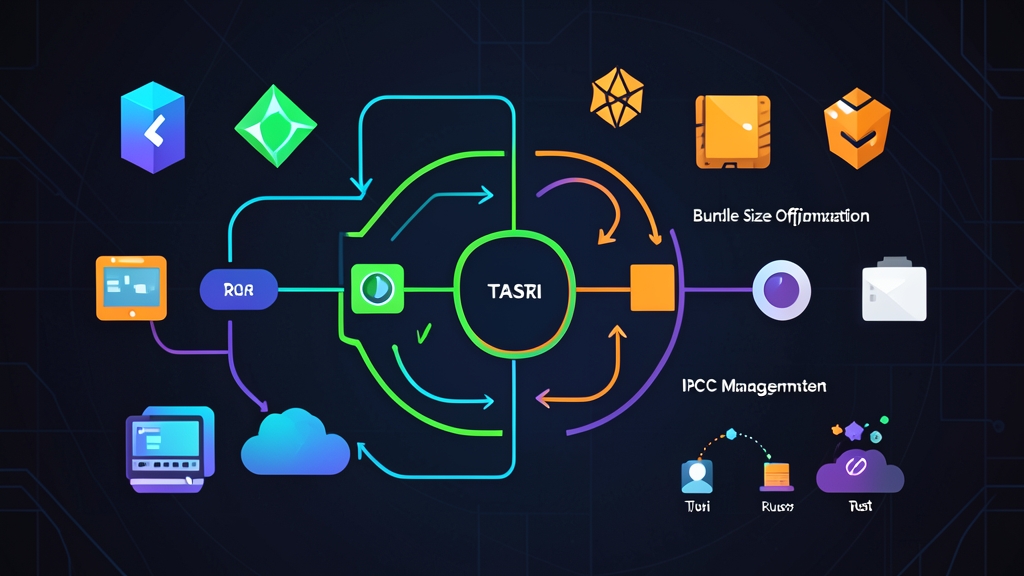
Quick Start (5 min)
Electron revolutionized desktop apps for web developers, but shipping a 120MB Chromium binary just to run a lightweight utility is wasteful. Tauri 2.0 solves this by ditching the bundled browser engine. Instead, it pairs React with a fast, memory-safe Rust backend and leverages your operating system’s built-in webview.
You can bootstrap a working desktop application in about five minutes. Start by checking off three prerequisites on your machine:
- Node.js: version 18 or newer (verify with
node -v) - Rust: installed via rustup (Rust 1.77.2+)
- Platform toolchains: Visual Studio C++ Build Tools on Windows, Xcode Command Line Tools on macOS (
xcode-select --install), or WebKitGTK and build tools on Linux (sudo apt install libwebkit2gtk-4.1-dev build-essential curl wget file libssl-dev libayatana-appindicator3-dev librsvg2-dev)
Run the official scaffolding CLI in your terminal:
npm create tauri-app@latestSelect these options when prompted:
- Project name:
my-desktop-app - Frontend language:
TypeScript / JavaScript - Package manager:
npm(orpnpm/yarn) - UI template:
React - Flavor:
TypeScript
Jump into the generated folder, install your packages, and start the development server:
cd my-desktop-app
npm install
npm run tauri dev
Cargo compiles the underlying Rust dependencies on the first run, which takes about 60 to 90 seconds. Once compiled, an independent native window renders your React interface. Hot module replacement runs immediately: tweak any component in src/, and the native window updates in milliseconds without resetting application state.
Deep Dive
Building reliable desktop tools requires a clear grasp of Tauri’s underlying runtime model and how messages pass between the UI thread and native system code.
The Tauri 2.0 Architecture
Slack, VS Code, and Discord rely on Electron. Because each Electron application bundles its own Chromium browser engine and Node.js runtime, installer files routinely top 120MB. Idle RAM consumption frequently spikes past 200MB per window.
Tauri takes a radically leaner approach. It offloads HTML, CSS, and JavaScript rendering to the webview engine already maintained and patched by the host operating system:
- Windows: Microsoft Edge WebView2 (Evergreen runtime)
- macOS: WKWebView (WebKit)
- Linux: WebKitGTK 4.1
Your business logic, system calls, and security policies execute inside compiled Rust. Because you don’t ship a redundant browser engine, production installers shrink to 8MB–15MB. Idle memory drops dramatically, typically resting between 25MB and 45MB of RAM.
Project Anatomy
Your workspace is cleanly split between frontend code and native logic:
src/: Holds your standard Vite + React application, including JSX files, styles, hooks, and static assets.src-tauri/: Houses the Rust application. Key files includeCargo.toml(crate dependencies),tauri.conf.json(window bounds, security identifiers, bundle settings), andsrc/lib.rs(the entry point where Tauri 2.0 initializes plugins and registers IPC commands).
Command IPC: Connecting React to Rust
Your React interface talks to the Rust process through asynchronous Inter-Process Communication (IPC). Native functions exposed to the webview are called Commands.
A common pitfall for web developers new to desktop development is running heavy computational tasks in JavaScript. Offloading file parsing, encryption, or system queries to Rust keeps the 60 FPS user interface completely butter-smooth.
Open src-tauri/src/lib.rs. Here is a custom command that validates an input string, gathers host CPU metrics, and returns structured data:
use serde::{Deserialize, Serialize};

#[derive(Serialize, Deserialize)]
pub struct SystemStats {
    os_name: String,
    cpu_cores: usize,
    status: String,
}

#[tauri::command]
fn get_system_stats(user_label: &str) -> Result<SystemStats, String> {
    if user_label.trim().is_empty() {
        return Err("Label cannot be empty".into());
    }

    Ok(SystemStats {
        os_name: std::env::consts::OS.to_string(),
        cpu_cores: std::thread::available_parallelism()
            .map(|n| n.get())
            .unwrap_or(1),
        status: format!("Active (Profile: {})", user_label),
    })
}

#[cfg_attr(mobile, tauri::mobile_entry_point)]
pub fn run() {
    tauri::Builder::default()
        .plugin(tauri_plugin_opener::init())
        .invoke_handler(tauri::generate_handler![get_system_stats])
        .run(tauri::generate_context!())
        .expect("error while running tauri application");
}
Switch to the React layer. Import invoke from @tauri-apps/api/core to dispatch calls directly to your Rust handler:
import { useState } from 'react';
import { invoke } from '@tauri-apps/api/core';

interface SystemStats {
  os_name: string;
  cpu_cores: number;
  status: string;
}

export function SystemMonitor() {
  const [stats, setStats] = useState<SystemStats | null>(null);
  const [label, setLabel] = useState('Production Workstation');
  const [error, setError] = useState<string | null>(null);
  const [loading, setLoading] = useState(false);

  async function fetchStats() {
    setLoading(true);
    setError(null);
    try {
      const result = await invoke<SystemStats>('get_system_stats', {
        userLabel: label,
      });
      setStats(result);
    } catch (err) {
      setError(String(err));
    } finally {
      setLoading(false);
    }
  }

  return (
    <div style={{ padding: '1.5rem', fontFamily: 'sans-serif' }}>
      <h3>Desktop System Monitor</h3>
      <input
        value={label}
        onChange={(e) => setLabel(e.target.value)}
        placeholder="Enter profile label"
        style={{ marginRight: '8px', padding: '6px' }}
      />
      <button onClick={fetchStats} disabled={loading}>
        {loading ? 'Fetching...' : 'Query Rust Backend'}
      </button>

      {error && <p style={{ color: 'red' }}>Error: {error}</p>}

      {stats && (
        <div style={{ marginTop: '1rem', background: '#f4f4f5', padding: '1rem', borderRadius: '6px' }}>
          <p><strong>OS:</strong> {stats.os_name}</p>
          <p><strong>Available Cores:</strong> {stats.cpu_cores}</p>
          <p><strong>Status:</strong> {stats.status}</p>
        </div>
      )}
    </div>
  );
}
Tauri manages the field conversions automatically. You pass camelCase keys in JavaScript (userLabel), and Serde deserializes them into snake_case identifiers in Rust (user_label).
Advanced Usage
Bidirectional Event Streaming
Single request-response invocations work well for fast lookups. But long-running operations—like streaming a 2GB download, tracking an archive unpack, or polling hardware sensors—demand real-time updates pushed from Rust to React.
Tauri’s event system handles this cleanly. In Rust, emit events continuously using the Emitter trait:
use tauri::Emitter;
use tokio::time::{sleep, Duration};

#[tauri::command]
async fn start_progress_task(app: tauri::AppHandle) -> Result<(), String> {
    tauri::async_runtime::spawn(async move {
        for step in 1..=100 {
            sleep(Duration::from_millis(30)).await;
            let _ = app.emit("task-progress", step);
        }
    });
    Ok(())
}
Register start_progress_task inside tauri::generate_handler![] in lib.rs. On the frontend, attach an event listener inside a standard React hook:
import { useEffect, useState } from 'react';
import { listen } from '@tauri-apps/api/event';
import { invoke } from '@tauri-apps/api/core';

export function ProgressBar() {
  const [progress, setProgress] = useState(0);

  useEffect(() => {
    let unlisten: (() => void) | undefined;

    async function setupListener() {
      unlisten = await listen<number>('task-progress', (event) => {
        setProgress(event.payload);
      });
    }

    setupListener();
    return () => {
      if (unlisten) unlisten();
    };
  }, []);

  return (
    <div>
      <button onClick={() => invoke('start_progress_task')}>Start Worker</button>
      <div style={{ background: '#e2e8f0', width: '240px', height: '16px', margin: '10px 0', borderRadius: '4px', overflow: 'hidden' }}>
        <div style={{ background: '#2563eb', width: `${progress}%`, height: '100%', transition: 'width 0.1s linear' }} />
      </div>
      <span>Progress: {progress}%</span>
    </div>
  );
}
Tauri 2.0 Security and Capabilities
Tauri 2.0 replaces the legacy v1 allowlist with an explicit Capabilities model. The webview starts completely sandboxed. It cannot access files, trigger system dialogs, or execute terminal commands unless you explicitly authorize those actions in JSON configuration files.
Audit the capabilities definition under src-tauri/capabilities/default.json:
{
  "$schema": "../gen/schemas/desktop-schema.json",
  "identifier": "default",
  "description": "Capability permissions for main application window",
  "windows": ["main"],
  "permissions": [
    "core:default",
    "opener:default"
  ]
}
This zero-trust architecture shields your users. Even if an attacker finds an XSS vulnerability in a frontend dependency, they remain trapped inside the webview sandbox without access to host system APIs.
Practical Tips
1. Aggressive Rust Release Profile
Default release profiles favor fast compilation over smallest binary size. By adding five optimization directives to src-tauri/Cargo.toml, you can shave substantial overhead off the compiled binary:
[profile.release]
opt-level = "z"     # Optimize aggressively for binary size
lto = true          # Enable Link Time Optimization across all crates
codegen-units = 1   # Reduce parallel code generation units to improve LTO
panic = "abort"     # Strip unwinding landing pads and tables
strip = true        # Strip symbols and debug info automatically
These flags shrink the raw native binary from roughly 18MB down to around 4.5MB on Windows and macOS with zero impact on runtime execution speed.
2. Frontend Bundle Hygiene
Vite compresses your production web assets and embeds them straight into the compiled binary. Keep your frontend footprint lean:
- Profile your bundle output using
rollup-plugin-visualizerto catch bloated npm packages before release. - Swap utility libraries like
lodashormoment.jsfor native JavaScript features such asIntl.DateTimeFormatand modern array methods. - Lazy-load heavy views (such as settings dashboards or charting libraries) with
React.lazy()andSuspenseto keep initial window launch times below 300ms.
3. In-App Webview Debugging
Debugging desktop webviews feels just like browser development. Hit F12 or right-click and choose Inspect Element on Windows and Linux to open DevTools. On macOS, set "devtools": true in your tauri.conf.json window configuration, or launch the app with TAURI_DEVTOOLS=1 cargo tauri dev to access WebKit Web Inspector.
4. Packaging Native Installers
When you are ready to publish, run a single terminal command:
npm run tauri buildTauri compiles the Vite bundle, builds the Rust executable with full optimizations, and outputs signed platform packages into src-tauri/target/release/bundle/. You get clean .msi or .exe installers for Windows, .dmg or .app bundles for macOS, and .deb or .AppImage archives for Linux. Instead of forcing users to download a massive 100MB+ installer, you deliver a fast, responsive 12MB binary that launches in a fraction of a second.