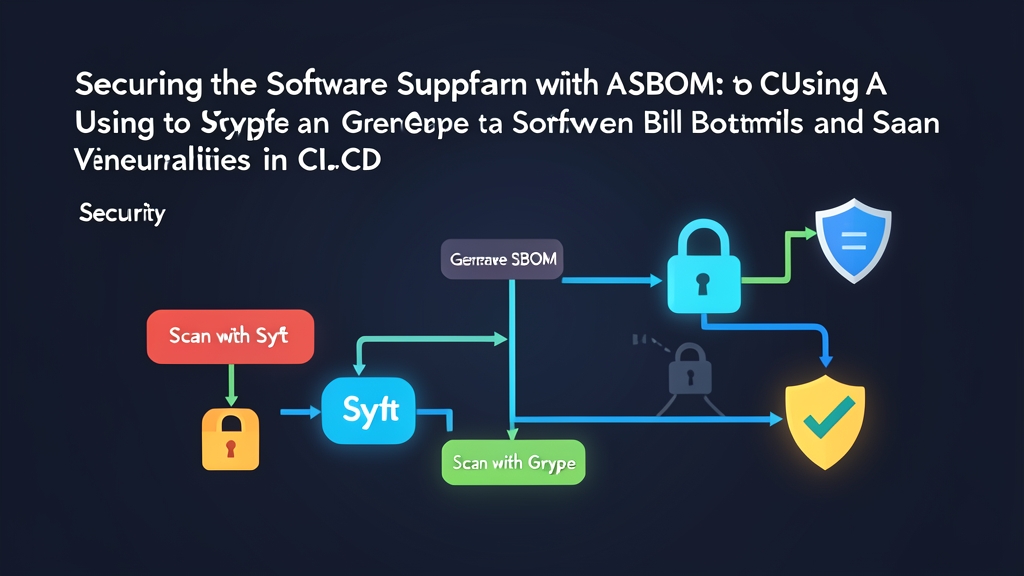
Problem Statement: The Hidden Threat in Modern Dependencies
Modern applications run mostly on borrowed code. According to recent Sonatype supply chain reports, open-source components routinely account for 80% to 90% of a typical enterprise codebase. The proprietary code your team writes is just the tip of the iceberg. Beneath it lies a complex web of base images, runtime engines, dynamic libraries, and transitive packages.
Firewalls and hardened SSH ports cannot save you if the software you deliver is already compromised. Breaches like SolarWinds and Log4Shell (CVE-2021-44228) proved that attackers target the build phase rather than perimeter defenses. If a critical flaw drops at 2:00 AM, can your team name every container image running that exact vulnerable library? For most engineering teams, answering that simple question takes days of frantic searching.
Tip 1: Lockfiles do not show the full picture. Files like package-lock.json or Pipfile.lock only track application-level dependencies. They tell you nothing about OS-level packages like glibc, curl, or dynamic system libraries pulled in by your base container image. You need an audit of the actual shipping artifact.
Core Concepts: Understanding SBOM, Syft, and Grype
To fix this visibility blindspot, teams rely on a Software Bill of Materials (SBOM).
What is an SBOM?
An SBOM is a structured, machine-readable inventory of every component, library, transitive dependency, and license packaged into an application. Think of it like the ingredients list on grocery store packaging. When a food recall occurs, consumers check the label instantly. They do not run chemical lab tests on the meal.
Two standard formats dominate the ecosystem today:
- CycloneDX: Maintained by OWASP. Built specifically for application security, vulnerability analysis, and high-speed CI/CD pipelines.
- SPDX (Software Package Data Exchange): An ISO/IEC 5962 standard backed by the Linux Foundation. Popular for open-source license compliance and provenance verification.
The Role of Syft
Syft is a lightweight CLI tool from Anchore that inspects container images, file systems, and tarballs. It scans package ecosystems—including Alpine APKs, Debian APT packages, RPM, NPM, PyPI, Go modules, and Cargo crates—and catalogs them into standardized CycloneDX or SPDX files in just seconds.
The Role of Grype
Grype handles vulnerability scanning. Rather than pulling massive container layers repeatedly, Grype parses an existing SBOM file directly. It cross-references package versions against live feeds from the National Vulnerability Database (NVD), GitHub Security Advisories (GHSA), and distro-specific security trackers.
Tip 2: Decouple inventory generation from vulnerability scanning. Generate your SBOM once during the build step and store it as a permanent artifact. If a zero-day vulnerability surfaces six months later, you can scan that saved JSON file in 3 seconds without rebuilding or re-downloading historic container images.
Hands-on Practice: Generating and Scanning with Syft & Grype
Here is how to install the binaries, generate an SBOM from a minimal Node.js image, inspect vulnerabilities, and wire the entire workflow into a GitHub Actions pipeline.
Step 1: Install Syft and Grype Locally
Both utilities ship as static binaries for Linux, macOS, and Windows with zero external runtime dependencies.
# Install Syft to /usr/local/bin
curl -sSfL https://raw.githubusercontent.com/anchore/syft/main/install.sh | sh -s -- -b /usr/local/bin

# Install Grype to /usr/local/bin
curl -sSfL https://raw.githubusercontent.com/anchore/grype/main/install.sh | sh -s -- -b /usr/local/bin

# Confirm both binaries are accessible
syft --version
grype --version
Step 2: Generate an SBOM with Syft
Run Syft against a target image straight from Docker Hub. In this example, we target node:18-alpine and dump the inventory into standard CycloneDX JSON:
# Print a quick human-readable summary to stdout
syft node:18-alpine

# Export full CycloneDX JSON to a file
syft node:18-alpine -o cyclonedx-json=./sbom-node.json
Open sbom-node.json. You will see detailed package names, cryptographic hashes, package URLs (PURLs), and upstream licenses for both Alpine system packages (like busybox and ssl_client) and global Node modules.
Tip 3: Always standardize on CycloneDX JSON for machine consumption. CLI tables look clean in a terminal, but compliance platforms, policy engines, and downstream scanners require structured JSON.
Step 3: Scan the SBOM for Vulnerabilities with Grype
Pass the generated sbom-node.json into Grype without re-pulling the container image:
# Scan the SBOM file directly
grype sbom:./sbom-node.json

# Show only vulnerabilities that have available vendor patches
grype sbom:./sbom-node.json --only-fixed

# Exit with a non-zero code if High or Critical CVEs are discovered
grype sbom:./sbom-node.json --fail-on high
Tip 4: Ignore unfixed vulnerabilities in PR blockers. If an upstream CVE has no released patch yet, failing the pipeline blocks engineers without giving them a path to resolution. Combine --only-fixed with --fail-on high so builds fail only when engineers can actually bump a package version to resolve the risk.
Step 4: Integrate Syft and Grype into GitHub Actions
Automate this process on every merge. The workflow below builds a local Docker container, generates the SBOM, flags severe CVEs, and saves the inventory as a build artifact retained for 90 days.
Save this configuration as .github/workflows/security-scan.yml:
name: Supply Chain Security Scan

on:
  push:
    branches: [ "main" ]
  pull_request:
    branches: [ "main" ]

jobs:
  build-and-scan:
    runs-on: ubuntu-latest
    steps:
      - name: Check out repository
        uses: actions/checkout@v4

      - name: Set up Docker Buildx
        uses: docker/setup-buildx-action@v3

      - name: Build local container image
        uses: docker/build-push-action@v5
        with:
          context: .
          load: true
          tags: my-app:latest

      - name: Generate SBOM with Syft
        uses: anchore/sbom-action@v0
        with:
          image: my-app:latest
          format: cyclonedx-json
          output-file: ./sbom.cyclonedx.json

      - name: Scan SBOM with Grype
        uses: anchore/scan-action@v3
        with:
          sbom: ./sbom.cyclonedx.json
          fail-build: true
          severity-cutoff: high
          only-fixed: true

      - name: Archive SBOM Artifact
        uses: actions/upload-artifact@v4
        if: always()
        with:
          name: software-bill-of-materials
          path: ./sbom.cyclonedx.json
          retention-days: 90
Tip 5: Retain SBOMs alongside deployment records. Audits and incident responses are retrospective exercises. When an exploit surfaces against a library version months after release, having the archived SBOM from build #142 allows you to verify exposure immediately.
Conclusion: Production Security Starts in the Pipeline
Securing the supply chain is not about adding friction. It is about removing guesswork. Pairing Syft with Grype lets you track every dependency entering production while gating critical CVEs before they ever reach a deployment cluster. The setup takes under 15 minutes, runs in seconds, and gives your team complete inventory transparency across every build.