When Dependencies Become Liabilities: My 2 AM Wake-Up Call
It was 2 AM. The kind of hour when only developers and critical alerts are active. A PagerDuty notification had just yanked me out of a deep sleep. A production service, stable for months, was suddenly flagging critical vulnerabilities.
The culprit? An obscure transitive dependency. It had been silently pulled in during a routine update and recently added to the NVD (National Vulnerability Database). The scramble was intense. It involved emergency patches, deployment rollbacks, and a lot of caffeine.
That night drove home a crucial lesson: simply building and deploying isn’t enough. We must actively hunt for vulnerabilities before they ever reach production. From my real-world experience, mastering this skill is vital – understanding and securing your dependency chain.
Manual vs. Automated Dependency Scanning: Two Approaches
Before diving into the practical details, let’s discuss how teams typically manage dependency security. Or, more often, how they *don’t*. You generally have two main paths:
The Manual Maze
Many teams initially use a manual approach. This usually means someone periodically checks project dependencies against known vulnerability databases. Even worse, some teams only react when a critical vulnerability is publicly disclosed and directly impacts their stack. This often looks like:
- Manually reviewing configuration files like
package.json,requirements.txt, orpom.xml. - Subscribing to security mailing lists or NVD feeds.
- Performing ad-hoc scans with various tools only when time allows.
The core problem here is scale and human error. Projects grow, dependencies multiply rapidly, and keeping track of every update and vulnerability becomes an overwhelming task for several individuals. This method is slow, reactive, and notoriously unreliable.
The Automated Arsenal
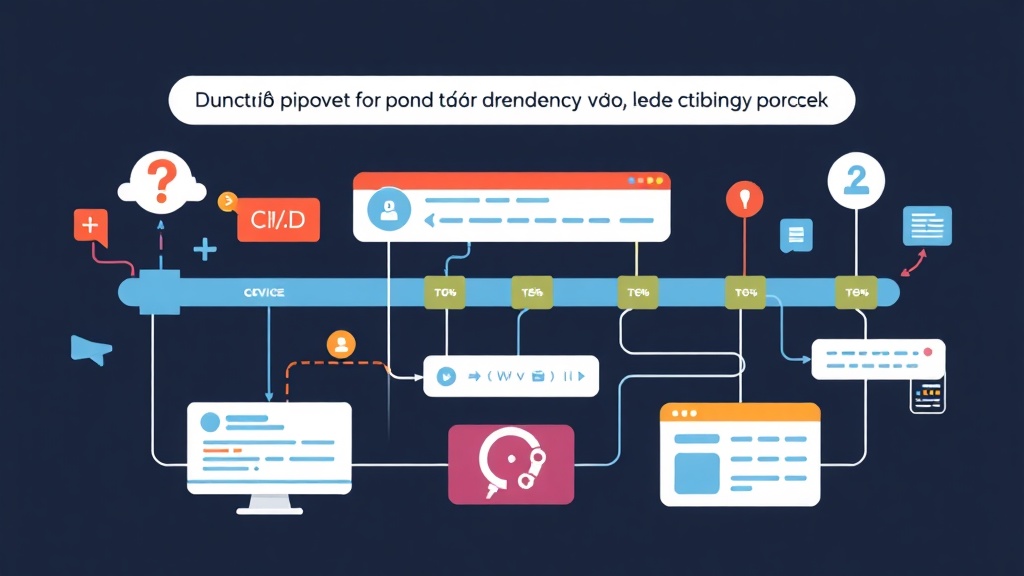
Automated dependency scanning bakes security checks directly into your development workflow. Tools like OWASP Dependency-Check run scans automatically, often as part of your CI/CD pipeline. They identify vulnerable components without requiring constant human intervention. This proactive strategy allows you to “shift left” on security. You find and fix issues much earlier in the development lifecycle, making them significantly cheaper and less disruptive to resolve.
Pros and Cons of Automated Dependency Checking
While automated scanning offers clear advantages, it’s not a magical fix for all security issues. Understanding its strengths and weaknesses, especially with a tool like OWASP Dependency-Check, helps set realistic expectations.
The Upside: Why Automate?
- Early Detection (Shift Left): Catch vulnerabilities during development or testing, long before they hit production. This can slash remediation costs by up to 100x compared to fixing issues post-release.
- Consistency and Reliability: Automated tools don’t get tired or make mistakes. They apply the same checks every time, reducing the chance of something slipping through.
- Comprehensive Coverage: OWASP Dependency-Check maintains an extensive database of known vulnerabilities, covering numerous programming languages and ecosystems (e.g., Java, .NET, Node.js, Python, Ruby, PHP). It aggregates data from sources like the NVD, GitHub Advisories, and more.
- Compliance: It’s crucial for regulatory compliance (e.g., GDPR, HIPAA, ISO 27001), helping demonstrate due diligence in managing software supply chain risks.
- Open Source and Free: As a community-driven project, OWASP Dependency-Check is free to use and constantly improved by community contributions.
The Downside: Challenges to Consider
- False Positives: No security tool is perfect. Dependency-Check might occasionally flag components that aren’t actually vulnerable in your specific context (e.g., a vulnerable function isn’t called). These require review and potential suppression.
- Configuration Overhead: The initial setup and fine-tuning for your specific project and CI/CD environment can take a noticeable amount of time.
- Performance Impact: Scanning can add time to your CI/CD pipeline. For very large projects with hundreds of dependencies, this might extend your build times by several minutes.
- Needs Regular Updates: The vulnerability databases Dependency-Check uses are constantly updated. Your scanner must pull these updates regularly to remain effective and provide current results.
- Limited to Known Vulnerabilities: It only detects vulnerabilities that have been publicly disclosed and added to its databases (like NVD or Retire.js). It won’t find zero-day exploits or application-specific logic flaws.
Recommended Setup: Getting Started with OWASP Dependency-Check
For most CI/CD environments, running OWASP Dependency-Check as a standalone command-line tool or via its Docker image offers the most flexibility and control. Here’s what you’ll need to begin:
Prerequisites
- Java Runtime Environment (JRE): Dependency-Check is a Java application. Ensure you have Java 8 or newer installed on your CI/CD runner or within your Docker container.
- Git: Your project code needs to be accessible via Git for the CI/CD pipeline to function.
- CI/CD System: Any system capable of executing shell commands will work. Common examples include Jenkins, GitLab CI, GitHub Actions, Azure DevOps, and CircleCI.
Installation Options
Option 1: Standalone CLI (Ideal for bare-metal runners)
Download the latest release directly from the official GitHub releases page. On a Linux-based CI/CD runner, you could use these commands:
# Download the latest CLI (adjust version as needed)
WGET_URL=$(curl -s https://api.github.com/repos/jeremylong/DependencyCheck/releases/latest | grep "browser_download_url.*zip" | cut -d '"' -f 4)
wget -q $WGET_URL
unzip dependency-check-*.zip
mv dependency-check-* dependency-check
chmod +x dependency-check/bin/dependency-check.sh
Option 2: Docker Image (Recommended for containerized CI/CD)
This is often the cleanest method. It isolates the tool and its dependencies perfectly. The official Docker image is actively maintained and readily available.
docker pull owasp/dependency-check
Implementation Guide: Integrating into Your CI/CD Pipeline
Let’s walk through integrating Dependency-Check into a typical CI/CD workflow. I’ll provide examples adaptable to most modern CI/CD systems, focusing on command-line usage.
Step 1: Perform a Basic Scan
First, grasp the fundamental command. Navigate to your project root (or ensure Dependency-Check can access it) and initiate a scan. The --scan argument points to your project directory, while --project assigns a name to your scan results.
# Using the standalone CLI
./dependency-check/bin/dependency-check.sh \
  --scan . \
  --project "MyAwesomeWebApp" \
  --format HTML \
  --out "./dependency-check-report.html"

# Using Docker
docker run --rm \
  -v $(pwd):/src \
  owasp/dependency-check \
  --scan /src \
  --project "MyAwesomeWebApp" \
  --format HTML \
  --out /src/dependency-check-report.html
This command scans the current directory (. or /src in Docker), names the project "MyAwesomeWebApp", and generates an HTML report named dependency-check-report.html. Dependency-Check supports various output formats, including HTML, XML, JSON, CSV, and JUNIT.
Step 2: Integrating with Your CI/CD System (Example: GitHub Actions)
The true advantage comes from automating this process. Here’s how you might incorporate Dependency-Check into a GitHub Actions workflow. A key decision point is determining when the build should fail.
name: CI/CD Pipeline

on:
  push:
    branches:
      - main
  pull_request:
    branches:
      - main

jobs:
  build-and-scan:
    runs-on: ubuntu-latest
    steps:
    - name: Checkout code
      uses: actions/checkout@v3

    - name: Run OWASP Dependency-Check
      id: dependency-check
      uses: jeremylong/dependency-check-action@v9
      with:
        project: 'MyGitHubProject'
        path: '.' # Scan current directory
        format: 'HTML,JSON'
        failOnCVSS: 7 # Fail if any vulnerability has a CVSS score of 7 or higher
        # Optional: Set a specific report path for artifacts
        # reportPath: 'dependency-check-report'

    - name: Upload Dependency-Check Report (HTML)
      uses: actions/upload-artifact@v3
      if: always()
      with:
        name: dependency-check-report-html
        path: dependency-check-report.html

    - name: Upload Dependency-Check Report (JSON)
      uses: actions/upload-artifact@v3
      if: always()
      with:
        name: dependency-check-report-json
        path: dependency-check-report.json
Key aspects of this GitHub Actions example:
- We use the community-maintained
jeremylong/dependency-check-action@v9for simplicity, which acts as a wrapper around the CLI tool. failOnCVSS: 7: This setting is crucial. It instructs Dependency-Check to fail the build if any identified vulnerability has a CVSS (Common Vulnerability Scoring System) score of 7.0 or higher. This typically corresponds to high or critical severity vulnerabilities. Adjust this threshold based on your team’s specific risk tolerance.- Reports are uploaded as artifacts, making them easily accessible for review after the pipeline run completes.
For other CI/CD systems, the fundamental logic remains consistent. You’ll execute the dependency-check.sh command (or its Docker equivalent) within your build step. Ensure you pass the correct arguments to scan your project and configure the appropriate failure threshold.
Step 3: Reviewing Reports and Triaging
After a scan, you’ll receive reports in your chosen format. The HTML report is generally the easiest to read, offering a clear overview of identified vulnerabilities, affected dependencies, and suggested solutions.
When reviewing, pay attention to:
- Component: The specific library or framework containing a vulnerability.
- Vulnerability: Detailed information about the CVE (Common Vulnerabilities and Exposures).
- CVSS Score: A numerical rating indicating the vulnerability’s severity.
- Solution: Often points to an updated, non-vulnerable version of the dependency.
Don’t fix everything blindly. Triage is an important step:
- Prioritize: Focus on vulnerabilities with high and critical CVSS scores first, as these pose the most immediate risk.
- Contextualize: Is the vulnerable part of the dependency actually used in your application’s code? Sometimes a vulnerability might not be exploitable due to your specific usage patterns.
- Upgrade: The best and most common solution is to upgrade the dependency to a version where the vulnerability has been patched.
- Suppress: If you’ve confidently determined a finding is a false positive or genuinely not applicable, you can suppress it.
Step 4: Managing False Positives with Suppression Files
False positives are an unavoidable reality with security tools. To prevent them from repeatedly failing your builds, Dependency-Check supports the use of suppression files (in XML format).
<?xml version="1.0" encoding="UTF-8"?>
<suppressions xmlns="https://jeremylong.github.io/DependencyCheck/dependency-suppression.1.3.xsd">
    <!-- Example: Suppress a specific CVE for a specific dependency -->
    <suppress>
        <notes>False positive: this CVE is only exploitable if X is enabled, which is not our configuration.</notes>
        <cve>CVE-2023-12345</cve>
        <filePath regex="true">.*my-vulnerable-library-1.0.jar</filePath>
    </suppress>

    <!-- Example: Suppress all findings for a specific dependency (use with caution) -->
    <suppress>
        <notes>This library is internal and scanned separately. No external vulnerabilities apply.</notes>
        <fileName regex="true">.*my-internal-component.jar</fileName>
    </suppress>
</suppressions>
Save this content, for example, as dependency-check-suppressions.xml in your project’s root directory. Then, add the --suppression argument to your scan command:
# Using the standalone CLI
./dependency-check/bin/dependency-check.sh \
  --scan . \
  --project "MyAwesomeWebApp" \
  --format HTML \
  --out "./dependency-check-report.html" \
  --suppression "./dependency-check-suppressions.xml"

# Using Docker
docker run --rm \
  -v $(pwd):/src \
  owasp/dependency-check \
  --scan /src \
  --project "MyAwesomeWebApp" \
  --format HTML \
  --out /src/dependency-check-report.html \
  --suppression /src/dependency-check-suppressions.xml
Always document *why* each suppression was made. Remember, suppressions should be rare exceptions, not a common practice, and they require regular review.
Conclusion: Securing Your Software Supply Chain
Integrating OWASP Dependency-Check into your CI/CD pipeline is a fundamental step toward building more secure software. It transforms dependency management from a reactive, late-night fire drill into a proactive, automated, and integral part of your development process.
While it does require initial setup and ongoing attention to triage findings, the peace of mind – and the saved sleep – it provides is immeasurable. Don’t wait for your own 2 AM wake-up call; make dependency vulnerability scanning a core component of your software development lifecycle today.