The ‘B-Tree for Everything’ Trap
We’ve all been there: a query that runs in 5ms on your laptop suddenly takes 5 seconds in production. I once worked on an analytics platform where a simple migration from a flat schema to a JSONB-heavy model brought our dashboard to a crawl. The culprit? We were relying on the default B-Tree index for everything.
PostgreSQL is incredibly flexible, but that flexibility often lures developers into bad habits. A standard index works wonders for simple lookups. However, as your tables grow from 10,000 to 10 million rows, or when you start storing complex data like geographic coordinates, B-Tree becomes a liability. It eats up disk space and often gets ignored by the query planner entirely.
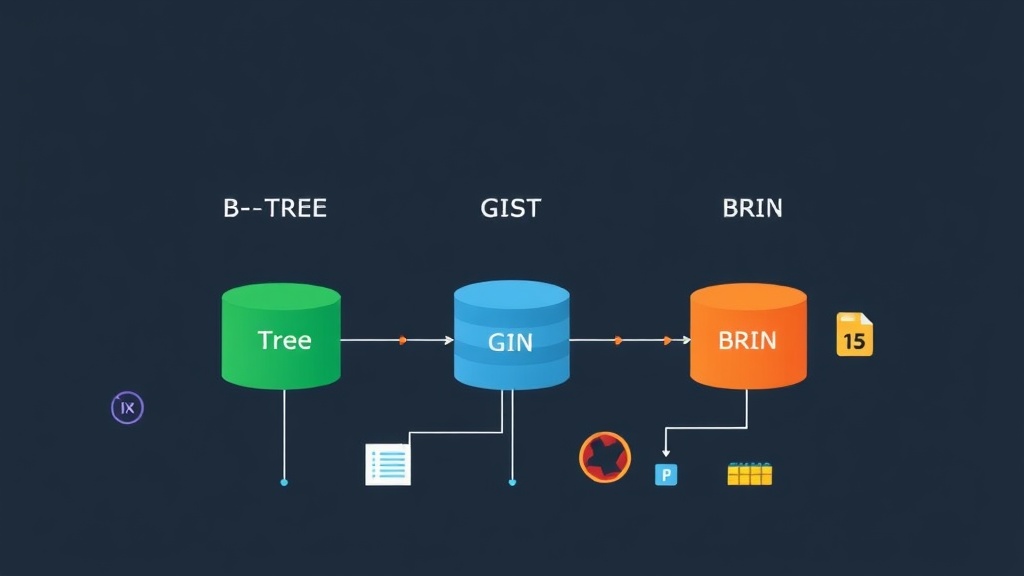
Slow performance usually isn’t caused by a missing index. It’s caused by using the wrong tool for the job. PostgreSQL offers a specialized toolkit—B-Tree, GIN, GiST, and BRIN. Choosing the right one is the difference between a snappy 15ms response and a 30-second timeout that frustrates your users.
Setup: Getting the Right Tools
Most index types are available out of the box. However, if you want to perform fuzzy text searches or combine different indexing logics, you’ll need to enable a few standard extensions. Ensure you are running at least PostgreSQL 12 to take advantage of recent GIN and BRIN performance boosts.
# Check your version
psql -c "SELECT version();"

# Connect and enable essential extensions
psql -d my_project_db

-- For fuzzy text search
CREATE EXTENSION IF NOT EXISTS pg_trgm;

-- For combining B-Tree logic with GiST
CREATE EXTENSION IF NOT EXISTS btree_gist;
Choosing Your Weapon: Index Types Explained
Each index serves a specific architectural purpose. Don’t just guess; match the index to your query pattern.
1. B-Tree: The Reliable Default
B-Tree is your bread and butter. It keeps data sorted, making it the perfect choice for equality (=) and range queries (<, >, BETWEEN). Use this for primary keys, foreign keys, and any column where you need to find a specific value or a date range.
-- Perfect for high-cardinality lookups
CREATE INDEX idx_users_email ON users USING btree (email);

-- Querying a specific date range
SELECT * FROM orders WHERE created_at > '2024-01-01';
2. GIN: The JSONB and Array Powerhouse
Searching inside a JSONB column with a B-Tree is like looking for a needle in a haystack with your hands tied. Generalized Inverted Indexes (GIN) are designed for data that contains multiple values. If you’re filtering by tags or searching deep inside JSON documents, GIN is mandatory. In a table with 1 million rows, a GIN index can turn a 1.2-second sequential scan into a 5ms lookup.
-- Optimize JSONB search with path_ops for better performance
CREATE INDEX idx_user_prefs ON users USING GIN (preferences jsonb_path_ops);

-- Find all users with dark mode enabled instantly
SELECT * FROM users WHERE preferences @> '{"theme": "dark"}';
3. GiST: Mastering Spatial and Overlapping Data
GiST (Generalized Search Tree) handles complex geometric shapes and ranges. If you use PostGIS or need to find overlapping time intervals, GiST is your only real option. It organizes data into “bounding boxes,” allowing the database to quickly discard large chunks of irrelevant data.
-- Indexing geographic points for a store locator
CREATE INDEX idx_stores_location ON stores USING GIST (location);

-- Find stores within a 5km radius
SELECT name FROM stores
WHERE ST_DWithin(location, ST_MakePoint(10.7, 106.6)::geography, 5000);
4. BRIN: Efficiency for Massive Tables
I once managed a 500GB logging table where a standard B-Tree index on the timestamp column consumed 45GB of RAM. That’s a massive waste. Block Range Indexes (BRIN) are much smarter for naturally ordered data. Instead of indexing every row, BRIN stores the min/max values for a block of pages. The result? Our 45GB index shrunk to just 60MB while maintaining nearly identical query speeds.
-- Use BRIN for time-series data or logs
CREATE INDEX idx_logs_created_at ON system_logs USING BRIN (created_at);

-- This index is tiny and perfect for multi-terabyte tables.
Verification: Don’t Trust, Verify
Creating an index doesn’t mean the database will use it. You need to verify the execution plan to ensure you aren’t wasting resources.
Testing with EXPLAIN ANALYZE
Always run your queries with EXPLAIN ANALYZE. You want to see an “Index Scan” or “Bitmap Index Scan.” If you see “Seq Scan,” your index is being ignored.
EXPLAIN ANALYZE
SELECT * FROM users WHERE preferences @> '{"theme": "dark"}';
If the planner skips your index, the table might be too small, or your query might not match the index definition. PostgreSQL often decides a sequential scan is faster if the table has fewer than a few thousand rows.
Tracking Index Bloat
Indexes aren’t free. They slow down INSERT and UPDATE operations. Use this query to compare your index size against your table size and see which ones are actually being used:
SELECT
    t.relname AS table_name,
    i.relname AS index_name,
    pg_size_pretty(pg_relation_size(t.oid)) AS table_size,
    pg_size_pretty(pg_relation_size(i.oid)) AS index_size,
    idx_scan AS times_used
FROM pg_class t
JOIN pg_index x ON t.oid = x.indrelid
JOIN pg_class i ON i.oid = x.indexrelid
JOIN pg_stat_all_indexes s ON s.indexrelid = i.oid
WHERE t.relkind = 'r'
ORDER BY pg_relation_size(i.oid) DESC;
If you find a 10GB index with 0 scans, drop it. It’s dead weight. For indexes that have become bloated due to frequent updates, a concurrent reindex can reclaim space without locking your users out of the system.
-- Rebuild without downtime
REINDEX INDEX CONCURRENTLY idx_users_email;
Indexing isn’t a “set and forget” task. Start with B-Tree for your IDs, use GIN for your JSON, and save BRIN for your massive logs. By matching the index to the data type, you keep your database lean and your application fast as it scales.