The Daily Grind: Taming Routine Tasks
Ever feel like your workday vanishes beneath a pile of repetitive administrative tasks? Things like sorting emails, summarizing lengthy reports, drafting initial responses for common support tickets, or handling tedious data entry. These aren’t inherently complex, but they certainly consume valuable time – time that, as IT professionals, we’d much rather dedicate to strategic planning, innovative projects, or tackling truly challenging technical problems.
For many of us, these mundane yet crucial activities make up a significant portion of our work. While essential for smooth operations, they often lead to burnout and hinder overall productivity. The good news is, we now live in an era where artificial intelligence can handle a considerable amount of this repetitive workload. It’s about optimizing your work, not just increasing effort, and reclaiming your focus for what truly matters.
Connecting the Dots: Automation with Generative AI
To effectively automate these daily chores, we need two core components: a system to orchestrate the workflow and an intelligent engine to handle nuanced, language-based processing. This is precisely where Zapier and Large Language Models (LLMs) like ChatGPT or Claude become indispensable.
Zapier: Your Workflow Maestro
Imagine Zapier as the digital connector for all your daily applications. It’s a no-code/low-code platform designed to automate workflows by creating ‘Zaps.’ A Zap is essentially a rule: when ‘X’ occurs in App A (the trigger), then ‘Y’ should happen in App B (the action). This powerful tool can chain multiple actions across different applications, allowing you to build surprisingly sophisticated automations without writing any code at all.
Whether you’re monitoring new spreadsheet entries or posting updates in a Slack channel, Zapier efficiently manages data transfer and task execution. In our automation strategy, it acts as the central hub, fetching information from one source, sending it to our AI, and then delivering the AI’s processed output to its final destination.
Generative AI: The Smart Engine
Generative AI, particularly Large Language Models (LLMs) such as OpenAI’s ChatGPT or Anthropic’s Claude, are the intelligent engines that transform raw data into valuable insights. These models excel at understanding, generating, summarizing, and translating human-like text. They grasp context, follow instructions, and produce coherent, relevant output across a wide array of topics.
Their true potential for automation lies in API access. This feature allows us to programmatically send text to these models and receive their generated responses. This makes LLMs ideal for tasks requiring natural language understanding or generation. Summarizing documents, drafting emails, or extracting specific information – LLMs can perform these cognitive tasks at scale.
The Perfect Pair: Zapier + LLMs
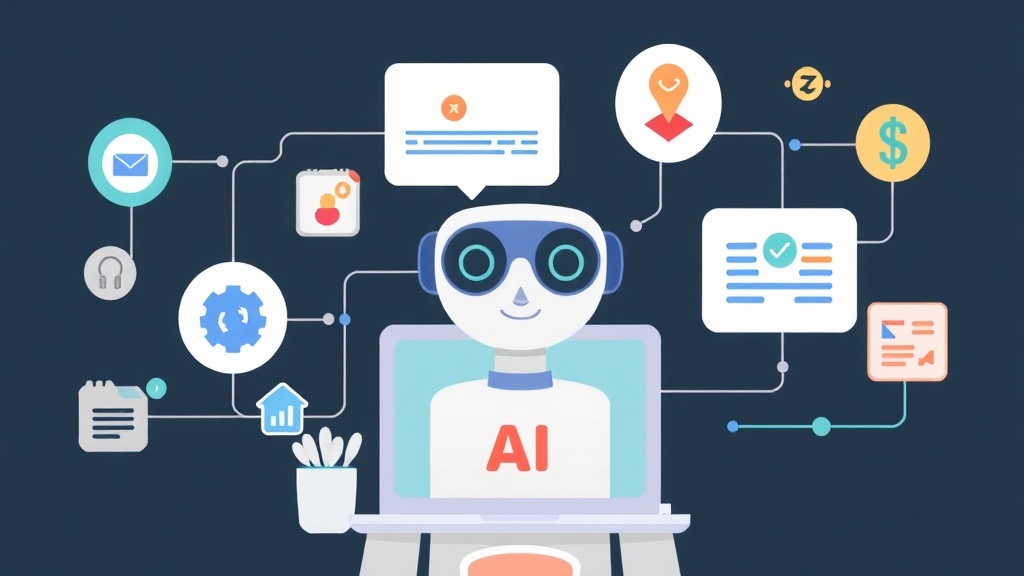
Combining Zapier with LLMs creates an exceptionally powerful automation partnership. Zapier acts as the ‘hands,’ gathering data from various sources like emails or ticketing systems and passing it to the AI. The LLM then functions as the ‘brain,’ processing that data, applying logic, and generating intelligent output. Finally, Zapier takes that output and acts on it – whether that’s posting to a chat, updating a database, or sending a neatly formatted email.
This collaboration allows us to automate tasks that previously demanded human judgment and understanding. It’s not just about moving data; it’s about enabling intelligent decisions based on that data. From my personal experience, mastering this is a crucial skill. Understanding how to connect these tools fundamentally shifts my approach to productivity and problem-solving in IT, freeing me to focus on higher-value work.
Get Practical: Building Your First AI Automation
Ready to build? Here’s what you’ll need to get started, along with a couple of practical scenarios to illustrate the process.
What You’ll Need:
- A Zapier account (the free tier often provides enough functionality for initial experiments).
- An OpenAI API key (for ChatGPT) or an Anthropic API key (for Claude). Note that these typically operate on a pay-as-you-go model, so always monitor your usage carefully.
- A basic understanding of APIs is helpful, though Zapier handles most of the technical complexities for you.
Scenario 1: Summarizing Incoming Email Reports
The Challenge: Your inbox is flooded daily with technical reports, status updates, or alerts. You need quick, digestible summaries to stay informed without reading every single word. Typically, this might take 10-15 minutes per report, adding up to hours weekly.
Your Goal: Automatically summarize new emails that match specific criteria and post the summary to a designated Slack channel or add it to a daily digest document.
Steps in Zapier:
- Trigger: New Email in Gmail (or your preferred email provider).
- Set up the trigger to detect new emails. You can add powerful filters here; for instance, process only emails from a specific sender like ‘[email protected]’ or those containing keywords like "Daily Report" in the subject line.
- Action 1: Formatter by Zapier – Text.
- This step is often beneficial, though optional. If your email body includes signatures, lengthy headers, or other irrelevant text, use Zapier’s text formatter to extract only the pertinent content for the AI to summarize.
- Action 2: OpenAI (ChatGPT) or Anthropic (Claude) – Send Prompt/Create Message.
- Select the appropriate AI app (OpenAI or Anthropic).
- Choose the event, typically "Send Prompt" for OpenAI or "Create Message" for Anthropic.
- Model Selection: For cost-efficiency and good speed, I often begin with
gpt-3.5-turboorclaude-3-haiku-20240307. If the task demands higher quality or more nuanced understanding, I might upgrade togpt-4-turboorclaude-3-sonnet-20240229/claude-3-opus-20240229. - User Message/Prompt: This is where prompt engineering becomes critical. Be clear and highly specific with your instructions.
Summarize the following technical report concisely, focusing on key updates, issues, and actionable items. Keep the summary under 150 words. Ensure the tone is professional and objective. Report:

{{email_body_text_from_step_1_or_2}}
Zapier will dynamically insert the email content into your prompt, ensuring the AI receives the correct information.
- Action 3: Slack – Send Channel Message (or Google Docs – Create Document from Text).
- Map the AI’s generated summary output from the previous step directly to the message field in Slack or as document content in Google Docs.
- You can also include a link to the original email or other relevant contextual information for easy reference.
For the Developers: Conceptual LLM Interaction (Python Example):
Even though Zapier streamlines API calls, understanding the underlying interaction is valuable for developers. Here’s how you’d conceptually interact with these APIs using Python:
import os
import openai # for OpenAI's ChatGPT
# import anthropic # for Anthropic's Claude

# --- For OpenAI (ChatGPT) ---
# Ensure your API key is set as an environment variable (e.g., OPENAI_API_KEY="sk-...")
# openai.api_key = os.getenv("OPENAI_API_KEY")

def get_chatgpt_summary(report_text: str) -> str:
    try:
        response = openai.chat.completions.create(
            model="gpt-3.5-turbo",
            messages=[
                {"role": "system", "content": "You are a helpful assistant that summarizes technical reports with an objective tone."},
                {"role": "user", "content": f"Summarize the following report concisely, focusing on key updates, issues, and action items. Keep the summary under 150 words.\n\nReport:\n{report_text}"}
            ],
            max_tokens=200, # Maximum tokens for the AI's response to control length
            temperature=0.7 # Controls randomness: lower for more focused output, higher for more creative
        )
        return response.choices[0].message.content.strip()
    except Exception as e:
        print(f"Error summarizing with ChatGPT: {e}")
        return "Failed to generate summary."

# --- For Anthropic (Claude) ---
# Ensure your API key is set as an environment variable (e.g., ANTHROPIC_API_KEY="sk-ant-...")
# client = anthropic.Anthropic(api_key=os.getenv("ANTHROPIC_API_KEY"))

# def get_claude_summary(report_text: str) -> str:
#     try:
#         response = client.messages.create(
#             model="claude-3-haiku-20240307",
#             max_tokens=200,
#             messages=[
#                 {"role": "user", "content": f"Summarize the following report concisely, focusing on key updates, issues, and action items. Keep the summary under 150 words.\n\nReport:\n{report_text}"}
#             ]
#         )
#         return response.content[0].text.strip()
#     except Exception as e:
#         print(f"Error summarizing with Claude: {e}")
#         return "Failed to generate summary."

# Example usage:
# daily_report_content = "This is a very long and detailed daily technical report that covers various project updates, issues encountered, resolutions, and upcoming tasks for the week..."
# summary_chatgpt = get_chatgpt_summary(daily_report_content)
# print(f"ChatGPT Summary: {summary_chatgpt}")

# summary_claude = get_claude_summary(daily_report_content)
# print(f"Claude Summary: {summary_claude}")
Scenario 2: Pre-drafting Standardized Responses for Support Tickets
The Challenge: Your help desk receives a constant stream of inquiries, many of which are common questions with standardized answers. You want to accelerate response times and maintain consistency without fully automating the human touch. This could mean reducing first-response times from hours to minutes for common issues.
Your Goal: When a new support ticket arrives with specific keywords, use AI to draft a preliminary response for human agent review.
Steps in Zapier:
- Trigger: New Ticket in Zendesk (or Freshdesk, Intercom, etc.).
- Configure the trigger to fire when a new ticket is created. You can filter by keywords in the subject or description (e.g., "password reset," "VPN issue," "software installation help").
- Action 1: Formatter by Zapier – Text.
- Extract relevant details from the ticket, such as the user’s problem description, the subject line, and any metadata that might assist the AI.
- Action 2: OpenAI (ChatGPT) or Anthropic (Claude) – Send Prompt/Create Message.
- Choose your AI model;
gpt-4-turboorclaude-3-sonnet-20240229are often excellent choices for more nuanced support responses, offering higher reliability. - User Message/Prompt: Frame the prompt to guide the AI effectively and ensure the desired output.
You are an IT support agent. Draft a polite, clear, and concise initial response for a user experiencing a [{{ticket_problem_type_from_step_1}}] issue. Your response should explain common troubleshooting steps or request necessary information for further investigation. Do not escalate the issue. Do not provide account-specific details.

User's Problem Description: "{{ticket_description_from_step_1}}"
The bracketed placeholders like
{{ticket_problem_type_from_step_1}}will be dynamically populated from your Zapier trigger and formatter steps, providing the AI with specific context. - Choose your AI model;
- Action 3: Zendesk – Add Internal Note or Update Ticket.
- Map the AI-generated draft response to an internal note within the ticket. This ensures the human agent remains in the loop, allowing them to review, edit, and then send the refined response to the customer. This preserves the crucial human oversight in customer service.
Smart Practices for AI Automation:
- Start Small, Refine Continuously: Begin with simple, well-defined tasks. Get a basic version working, then progressively refine and expand its capabilities.
- Monitor Closely: AI output isn’t always flawless. Especially during initial deployment, keep a close watch on automated results. Be ready to intervene or adjust your prompts as needed.
- Craft Clear Prompts: The effectiveness of your AI’s output directly correlates with the quality of your prompt. Be explicit about the desired role, format, length, and any constraints.
- Manage Costs Wisely: Be aware of API usage charges. Less powerful, more affordable models (e.g., GPT-3.5, Claude Haiku) are excellent for many tasks. Reserve the more robust, pricier models for truly critical and complex processes.
- Security & Privacy First: Always understand the data privacy and security implications of sending internal data to third-party AI APIs. Ensure full compliance with your organization’s policies and relevant regulations like GDPR or HIPAA.
Conclusion: Elevating Your IT Workflow
Automating daily tasks with tools like Zapier and advanced generative AI such as ChatGPT or Claude isn’t just about saving a few minutes here and there; it fundamentally transforms how we operate in the IT landscape. It empowers us to shift our focus from repetitive, monotonous tasks to strategic thinking, innovative problem-solving, and continuous improvement.
The possibilities are vast, extending far beyond the examples covered here. Think of applications like generating content for internal documentation, creating boilerplate code snippets, or facilitating language translation for diverse global teams.
The AI landscape continues to advance at an incredible pace. By embracing these tools, experimenting with their capabilities, and applying them judiciously, you’ll cultivate a more efficient, less burdensome, and ultimately more rewarding IT environment.