Scaling Beyond the Monolith
Six months ago, our primary 800GB database hit a wall. It was trying to do everything at once: processing checkout transactions, managing user sessions, and running massive analytical joins for the marketing team.
Those marketing queries—often joining 15+ tables—were spiking CPU usage to 95%, causing random API timeouts for our actual customers. We needed to move the reporting data to a separate instance. However, we had two non-negotiable requirements: we had to exclude sensitive PII and heavy log tables, and we couldn’t afford a single minute of downtime.
Physical streaming replication is the standard for high availability, but it’s a blunt instrument. It creates a byte-for-byte copy of the entire instance, meaning you can’t skip that 2TB archive table from 2019. This is where logical replication saved us. It allowed us to stream specific tables to a completely different database, even one running on a cheaper $40/month instance. After half a year in production, I’ve mapped out the pitfalls that the standard documentation tends to gloss over.
Core Concepts: Publications and Subscriptions
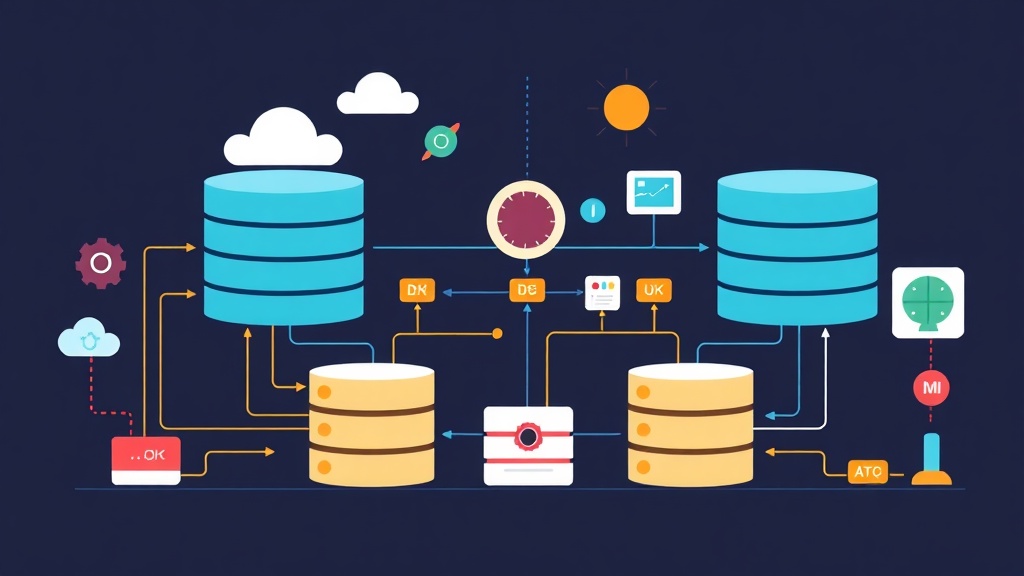
Logical replication uses a simple publish-subscribe model. Instead of sending raw Write-Ahead Log (WAL) files, Postgres decodes those logs into specific row-level changes like INSERTs, UPDATEs, and DELETEs.
- Publisher: Your primary source database. You define a “Publication,” which is just a list of tables you want to share.
- Subscriber: The target database. It creates a “Subscription” that connects to the publisher to pull data.
- Logical Decoding: The engine extracting changes from the WAL. To enable this, you must set
wal_leveltological.
A major win for us was that the subscriber database remains fully writable. We added extra indexes on the subscriber specifically for reporting without slowing down the primary database. You can even aggregate data from three different microservices into one central reporting hub. It’s built for flexibility.
Hands-on Practice: Setting Up Your First Stream
Don’t touch the production console until you’ve verified the network path between your servers. Here is the exact workflow we used for our migration.
Step 1: Configuration on the Publisher
First, adjust your postgresql.conf. Changing the wal_level requires a restart, so schedule this for a low-traffic window. We did ours at 3:00 AM on a Tuesday.
# Edit postgresql.conf
wal_level = logical
max_replication_slots = 10
max_wal_senders = 10
Once the service is back up, update pg_hba.conf to allow the subscriber to connect. Use a dedicated user with minimal permissions to keep the attack surface small.
-- Create a dedicated replication user
CREATE ROLE replication_user WITH REPLICATION LOGIN PASSWORD 'your_secure_password';
GRANT SELECT ON ALL TABLES IN SCHEMA public TO replication_user;
Step 2: Creating the Publication
Next, tell the source database which tables are ready for sync. If you’re seeding your target database with external data first, I recommend toolcraft.app/en/tools/data/csv-to-json. It runs entirely in your browser, so no sensitive data ever leaves your machine—perfect for quick schema prep.
On the publisher database:
-- Create a publication for specific tables
CREATE PUBLICATION my_reporting_pub FOR TABLE orders, customers;
Step 3: Preparing the Subscriber
The subscriber needs the table structures ready before the data starts flowing. Logical replication does not sync DDL changes like CREATE TABLE. Use pg_dump to grab only the schema without the data.
# Export schema only from publisher
pg_dump -h publisher_host -U postgres -s my_db > schema.sql

# Import schema to subscriber
psql -h subscriber_host -U postgres my_reporting_db < schema.sql
Step 4: Creating the Subscription
The final step is connecting the two sides. The moment you run this command, the subscriber triggers a snapshot phase to copy existing rows before switching to real-time streaming.
-- On the subscriber database
CREATE SUBSCRIPTION my_reporting_sub
CONNECTION 'host=publisher_host dbname=my_db user=replication_user password=your_secure_password'
PUBLICATION my_reporting_pub;
What I Learned After 6 Months in Production
The initial setup is easy, but maintenance is where the challenge lies. We learned three hard lessons during our 180-day run.
1. The Schema Change Trap
If you add a column to the publisher but forget the subscriber, replication stops instantly. Even worse, the WAL logs on the publisher will grow indefinitely while the subscriber is stuck. We now apply DDL changes to the subscriber first. This ensures the target is always prepared to receive the new data format before the publisher starts sending it.
2. Monitoring Replication Slots
Replication slots are double-edged swords. If the subscriber goes offline for a few hours, the publisher buffers all changes on disk. During a network outage in month four, our publisher disk usage jumped by 120GB in two hours. We now use a 15-minute alert on pg_replication_slots to catch stalled streams before the disk fills up.
SELECT slot_name, active, pg_wal_lsn_diff(pg_current_wal_lsn(), restart_lsn) AS delay_bytes
FROM pg_replication_slots;
3. The Sequence Gap
Sequences do not replicate. If you use SERIAL or IDENTITY columns, the subscriber’s sequence values will stay at 1. This isn’t an issue for read-only reporting, but it’s a disaster if you try to failover. You must manually sync sequence values if you ever plan to write to the subscriber database.
Final Thoughts
Our 40% load reduction speaks for itself. By offloading complex queries, our primary API latency dropped by 60ms on average. Logical replication isn’t a “set and forget” tool—it demands proactive monitoring and a disciplined approach to schema migrations. But for selective data syncing, it is the most reliable tool in the Postgres ecosystem. If your monolith is struggling under the weight of analytical queries, it’s time to split the load.