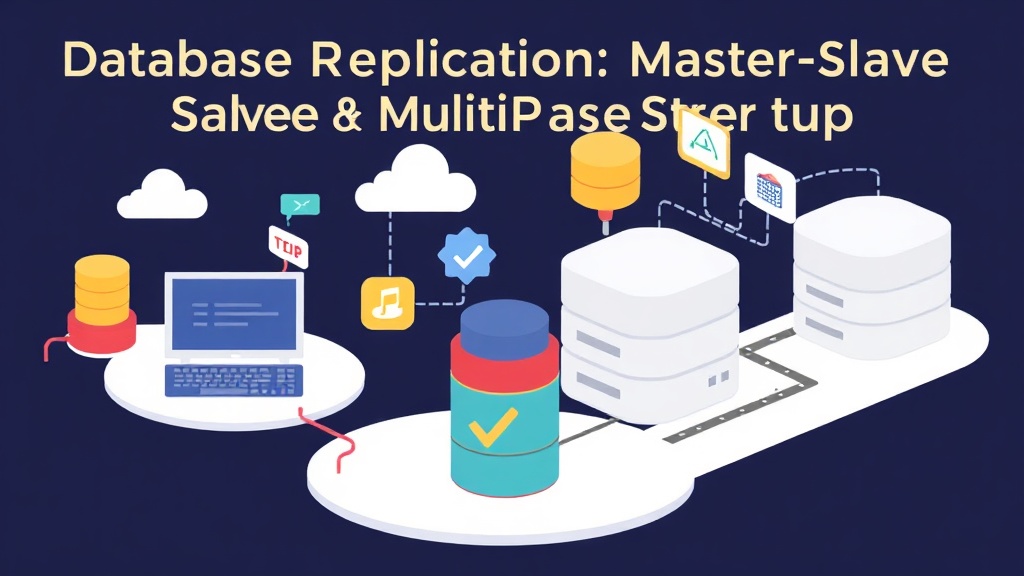
The 2 AM Pager Call: When Your Database Flatlines
It’s 2 AM. The dreaded pager blares, ripping you from a deep sleep. Your heart sinks as you see the alert: CRITICAL - Production Database Offline. You scramble to your laptop, fingers flying across the keyboard, trying to diagnose the issue. Users are getting 500 errors, transactions are failing, and the business loses money with every passing minute. We’ve all felt that gut-wrenching feeling when a single point of failure brings down an entire application, haven’t we?
After an hour of frantic troubleshooting, you manage to restart the service. But the damage is done. The post-mortem reveals a stark reality: a single, monolithic database server was handling everything. When it choked – whether due to a hardware glitch, a bad query, or an unexpected traffic surge – there was nothing to fall back on. A complete system outage resulted.
Root Cause Analysis: The Single Point of Failure Syndrome
That 2 AM incident wasn’t just bad luck; it was a symptom of a fundamental architectural weakness. Relying on a single database server for all operations is like building a house with one support beam. It works until that beam fails, and then everything collapses. The core issues we faced were a lack of:
- High Availability (HA): The ability for your system to continue functioning even if a critical component, like your primary database, goes offline.
- Disaster Recovery (DR): A robust strategy to recover your data and services in the face of major incidents, such as an entire data center failure.
- Scalability: The capacity to handle increasing loads, especially read traffic, without overwhelming the primary server and degrading performance.
Without these safeguards, your database is vulnerable. Replication stands as our primary defense against these scenarios, ensuring we always have multiple, up-to-date copies of our data ready to take over.
Solutions Compared: Master-Slave vs. Multi-Master Replication
At its core, database replication involves copying data from one database server to one or more others. This fundamental technique significantly boosts availability, disaster recovery, and read scalability. Let’s explore the two main flavors.
Master-Slave Replication: The Workhorse
This is likely the most common replication setup you’ll encounter. It’s a straightforward and incredibly effective solution for many use cases.
How it Works:
In this setup, one server acts as the primary, or Master. This master server handles all write operations (inserts, updates, deletes). It then asynchronously (or sometimes synchronously, though less common for performance reasons) sends these changes to one or more other servers, known as Slaves. These slaves typically handle read operations. Think of it like a newspaper: the master is the editor writing the stories, and the slaves are the printing presses distributing copies to readers.
Benefits:
- Read Scaling: You can distribute read queries across multiple slave servers, significantly offloading the master. This can improve overall application performance by 2x-5x for read-heavy workloads.
- High Availability/Disaster Recovery: If your master server fails, you can promote one of the slaves to become the new master, minimizing downtime to mere seconds or minutes. This is crucial for bouncing back from that 2 AM incident.
- Reporting & Analytics: Run heavy, resource-intensive analytical queries or generate reports on slave servers without impacting the performance of your transactional master.
Limitations:
- Single Write Point: The master remains a single point of failure for writes. If it goes down, new write operations stop until a new master is successfully promoted.
- Failover Complexity: While a slave can be promoted, the process, especially automated failover, can be complex to set up correctly. Ensuring data consistency during the switch requires careful planning.
- Replication Lag: Asynchronous replication can introduce a slight delay, or ‘lag,’ between the master and its slaves, often ranging from milliseconds to several seconds under heavy load. This means slaves might not always have the absolute latest data. This can be a concern for applications requiring immediate read-after-write consistency.
Practical Example: Setting up MySQL Master-Slave Replication
Let’s walk through a simplified example for MySQL. Imagine you have two servers: db-master.yourdomain.com and db-slave.yourdomain.com.
1. Configure the Master (db-master.yourdomain.com)
Edit your MySQL configuration file (e.g., /etc/mysql/my.cnf or /etc/my.cnf):
# Master configuration
[mysqld]
server-id = 1
log_bin = mysql-bin
binlog_do_db = your_database_name # Optional: Replicate only a specific database
# For semi-synchronous replication, which ensures the master waits for at least one slave to acknowledge receipt of binlog events before committing
# rpl_semi_sync_master_enabled = 1
# rpl_semi_sync_master_timeout = 5000 # Milliseconds
Restart MySQL on the master:
sudo systemctl restart mysql
Then, create a replication user and get the master status:
mysql -u root -p

# Create a replication user
CREATE USER 'repl_user'@'%' IDENTIFIED BY 'your_secure_password';
GRANT REPLICATION SLAVE ON *.* TO 'repl_user'@'%';
FLUSH PRIVILEGES;

# Lock tables and get master status (perform this during a maintenance window or when traffic is low for a consistent snapshot)
FLUSH TABLES WITH READ LOCK;
SHOW MASTER STATUS;
# Note down File and Position (e.g., mysql-bin.000001 and 123)

# Unlock tables after getting the status
UNLOCK TABLES;
EXIT;
2. Configure the Slave (db-slave.yourdomain.com)
Edit your MySQL configuration file:
# Slave configuration
[mysqld]
server-id = 2
relay_log = mysql-relay-bin
read_only = 1 # Optional, but highly recommended to prevent accidental writes on the slave
Restart MySQL on the slave:
sudo systemctl restart mysql
Then, connect the slave to the master using the details you noted earlier:
mysql -u root -p

CHANGE MASTER TO
  MASTER_HOST='db-master.yourdomain.com',
  MASTER_USER='repl_user',
  MASTER_PASSWORD='your_secure_password',
  MASTER_LOG_FILE='mysql-bin.000001', -- Use the File from SHOW MASTER STATUS
  MASTER_LOG_POS=123;                -- Use the Position from SHOW MASTER STATUS

START SLAVE;

SHOW SLAVE STATUS\G
EXIT;
Check SHOW SLAVE STATUS\G on the slave. You want to see Slave_IO_Running: Yes and Slave_SQL_Running: Yes, and Seconds_Behind_Master: 0 (or a very small number, indicating minimal lag).
Multi-Master Replication: The Distributed Powerhouse
Multi-master replication elevates these benefits, providing even greater availability and the ability to scale writes. It offers a more advanced approach to data redundancy.
How it Works:
Unlike master-slave, where only one server accepts writes, in a multi-master setup, all participating servers can accept write operations. Changes made on any master are automatically propagated to all other masters. This creates a truly active-active environment where any node can serve both reads and writes.
Benefits:
- No Single Point of Failure (for writes): If one master goes down, the others can seamlessly continue handling write operations. This is a huge win for applications demanding extreme uptime.
- Improved Write Scalability: Potentially distribute your write load across multiple servers, which can be beneficial for high-throughput applications processing thousands of transactions per second.
- Geographic Distribution: Set up masters in different data centers for robust disaster recovery. This also provides lower latency for users in various regions accessing their nearest database instance.
Limitations:
- Conflict Resolution: This is the biggest challenge. What happens if the same piece of data is modified on two different masters simultaneously? For instance, if two users update the same inventory count on different masters from 10 to 9 and 10 to 8. To maintain data consistency, you need sophisticated conflict resolution strategies, such as ‘last-writer-wins,’ timestamp-based approaches, or custom application logic. This adds significant complexity to the system.
- Increased Network Traffic: More data needs to be synchronized between all masters, potentially leading to a substantial increase in network overhead, especially with high write volumes.
- Higher Complexity: Setup, management, and troubleshooting are significantly more complex than master-slave. You’re dealing with distributed consensus and consistency models, requiring deep expertise.
Conceptual Example: PostgreSQL Logical Replication (Simplified Multi-Master Idea)
While true multi-master with automatic conflict resolution is often handled by specialized solutions (like Galera Cluster for MySQL or specific PostgreSQL extensions), PostgreSQL’s logical replication can be configured to achieve a form of bi-directional, multi-master setup. However, manual conflict handling might be needed depending on the application.
On Master 1:
CREATE PUBLICATION my_publication FOR TABLE my_table;
On Master 2:
CREATE PUBLICATION my_publication FOR TABLE my_table;
Then, each master subscribes to the other’s publication. On Master 1:
CREATE SUBSCRIPTION my_subscription_to_m2
  CONNECTION 'host=master2_ip port=5432 user=repl_user password=your_password dbname=your_db'
  PUBLICATION my_publication;
On Master 2:
CREATE SUBSCRIPTION my_subscription_to_m1
  CONNECTION 'host=master1_ip port=5432 user=repl_user password=your_password dbname=your_db'
  PUBLICATION my_publication;
This creates a path for changes to flow both ways. However, you’d need to carefully manage sequences, triggers, or application logic to prevent write conflicts or ensure they are resolved gracefully.
Choosing Your Best Approach: Preventing Future 2 AM Calls
When facing your next architectural decision, how do you choose the right replication strategy? Your decision hinges on your specific needs, your application’s tolerance for downtime, and your team’s operational capabilities.
When to use Master-Slave Replication:
- Most common web applications: Where read scaling is your primary concern, and occasional brief write downtime (e.g., a few minutes) is acceptable during a failover.
- Clear primary strategy: When you need a well-defined primary database for all writes and a robust disaster recovery strategy.
- Simpler setups: If you want to minimize operational overhead and complexity, master-slave is usually easier to implement and manage.
When to use Multi-Master Replication:
- Extreme write availability: For applications demanding near-zero downtime for writes, even if a server fails. Think critical financial systems or real-time gaming platforms.
- Distributed write load: When you need to distribute write operations across multiple servers, potentially in different geographic regions, to serve users globally.
- High-end enterprise systems: Where the complexity and overhead of managing conflict resolution are justified by stringent business requirements for uptime and data distribution.
Be prepared for significant architectural and operational complexity with multi-master. It’s not a silver bullet and often requires deep understanding of your application’s consistency requirements and how your chosen database handles conflicts. This frequently necessitates application-level design considerations.
As you work with database replication, tasks like preparing data for initial seeding of a replica or for analytical reporting are common. For quick data transformations, especially converting CSV files to JSON for imports, I frequently use toolcraft.app/en/tools/data/csv-to-json.
It runs right in the browser, which is great because it means no sensitive data ever leaves my machine. It’s a small utility, but a real lifesaver when I need to quickly get test data or configuration data ready for a new slave or even just for initial data seeding.
In conclusion, database replication forms the bedrock of robust, highly available systems. It’s what prevents those late-night panic calls and ensures your services stay up, even when things inevitably go sideways. Always test your failover procedures rigorously – don’t wait for 2 AM to discover your disaster recovery plan has holes!