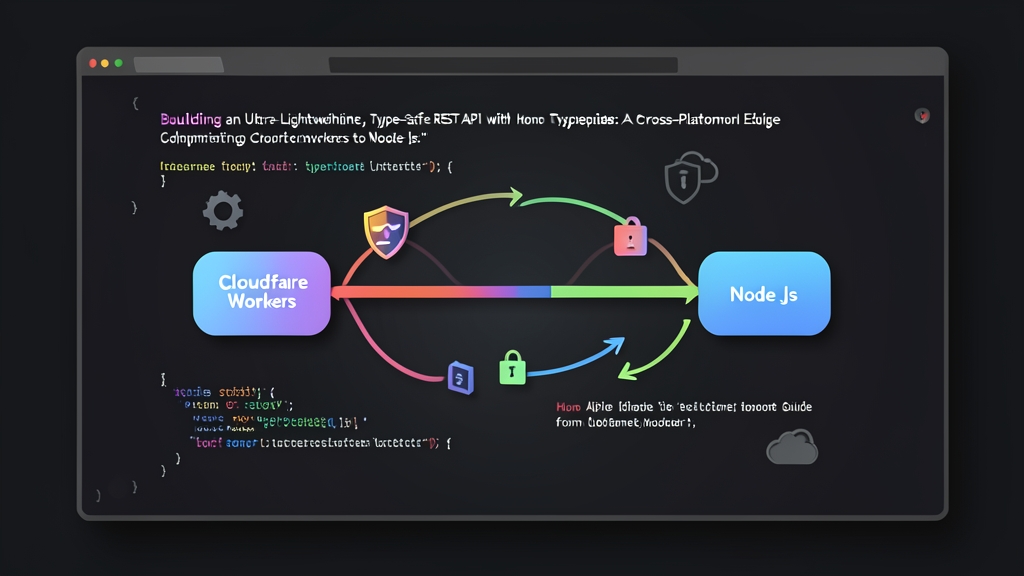
Context: The Shift Toward Edge-First APIs
For years, Express was my default choice for building backend services. But serverless architectures changed the math. Deploying Express inside AWS Lambda or Cloud Run often meant wrestling with 40MB container bundles, bloated node_modules, and cold starts dragging past 600ms. Worse, retrofitting strict TypeScript types onto legacy Express middleware always felt like fighting the framework.
When our team moved latency-critical microservices to edge networks, traditional Node stacks couldn’t keep up. Hono solves this problem directly. Built entirely on modern Web Standards (Fetch, Request, Response), Hono runs across virtually any JavaScript environment: Cloudflare Workers, Fastly Compute, Deno, Bun, AWS Lambda, and standard Node.js.
The entire library weighs under 14KB minified with zero external dependencies. Its flagship RegExpRouter compiles route patterns into regular expressions to resolve paths in microseconds. Paired with TypeScript, Hono provides end-to-end type safety and an RPC client. Instead of discovering breaking API contract mismatches in production, your compiler catches them immediately.
Installation: Bootstrapping a Multi-Runtime Project
Hono includes a scaffolding CLI called create-hono with battle-tested presets. I recommend starting with the Cloudflare Workers template. Edge-first code ports down to Node.js cleanly. In contrast, untangling Node-specific APIs (like fs or native streams) to run on edge isolates is notoriously painful.
Step 1: Scaffold the Project
Run the interactive setup tool and pick the Cloudflare Workers preset:
npm create hono@latest hono-edge-api
cd hono-edge-api
npm install
Step 2: Install Validation and Node Adapters
Next, install Zod alongside Hono’s official validator middleware. Add the Node server adapter as a development dependency so you can run the same codebase in traditional container environments:
npm install zod @hono/zod-validator
npm install @hono/node-server @types/node -D
Verify that your tsconfig.json targets modern ECMAScript features and enables strict type checking:
{
  "compilerOptions": {
    "target": "ESNext",
    "module": "ESNext",
    "moduleResolution": "Bundler",
    "strict": true,
    "skipLibCheck": true,
    "types": ["@cloudflare/workers-types"]
  }
}
Configuration: Clean Routing and Dual Deployment
The trick to keeping your service portable between Cloudflare Workers and Node.js is simple: isolate your application routes from the runtime listener.
1. Define Schemas and Domain Types
Start with your data layer. Define your request validation rules and infer TypeScript types using Zod in src/schemas.ts:
import { z } from 'zod';

export const CreateArticleSchema = z.object({
  title: z.string().min(5, 'Title must contain at least 5 characters'),
  slug: z.string().regex(/^[a-z0-9-]+$/, 'Slug must be URL-safe (kebab-case)'),
  content: z.string().min(20, 'Content must contain at least 20 characters'),
  published: z.boolean().default(false),
});

export type CreateArticleInput = z.infer<typeof CreateArticleSchema>;

export interface Article extends CreateArticleInput {
  id: string;
  createdAt: string;
}
2. Build the Core Router
Assemble your route handlers in src/app.ts. Hono ships with built-in middleware for security headers, CORS, and logging, so you don’t need third-party packages like Helmet or Morgan:
import { Hono } from 'hono';
import { cors } from 'hono/cors';
import { secureHeaders } from 'hono/secure-headers';
import { zValidator } from '@hono/zod-validator';
import { CreateArticleSchema, Article } from './schemas';

const articles = new Map<string, Article>();

export const app = new Hono()
  .use('*', secureHeaders())
  .use('*', cors({
    origin: ['https://itfromzero.com'],
    allowMethods: ['GET', 'POST', 'PUT', 'DELETE'],
  }))
  .get('/api/health', (c) => {
    return c.json({
      status: 'healthy',
      runtime: typeof crypto !== 'undefined' && 'subtle' in crypto ? 'edge-compatible' : 'standard',
      timestamp: new Date().toISOString(),
    });
  })
  .get('/api/articles', (c) => {
    return c.json(Array.from(articles.values()));
  })
  .post('/api/articles', zValidator('json', CreateArticleSchema), async (c) => {
    const validatedData = c.req.valid('json');
    const newArticle: Article = {
      id: crypto.randomUUID(),
      ...validatedData,
      createdAt: new Date().toISOString(),
    };

    articles.set(newArticle.id, newArticle);
    return c.json(newArticle, 201);
  });

export type AppType = typeof app;
3. Configure the Cloudflare Workers Entry Point
Cloudflare Workers expects your application as an ES module default export. Keep src/index.ts down to two lines:
import { app } from './app';

export default app;
4. Add the Node.js Server Adapter
To run the exact same API inside a standard Docker container or virtual machine, wrap your router with @hono/node-server in src/node-server.ts:
import { serve } from '@hono/node-server';
import { app } from './app';

const port = Number(process.env.PORT) || 3000;

console.log(`Starting Node adapter on port ${port}...`);

serve({
  fetch: app.fetch,
  port,
});
Now configure your package.json scripts to run both targets side by side during development:
{
  "scripts": {
    "dev:edge": "wrangler dev",
    "deploy:edge": "wrangler deploy",
    "dev:node": "tsx watch src/node-server.ts",
    "start:node": "node dist/node-server.js"
  }
}
Verification & Observability
With routing and validation in place, you can verify payload constraints, inspect response headers, and profile execution times.
1. Contract Testing with Hono Client (RPC)
Hono’s RPC client (hc) eliminates the need to generate OpenAPI stubs or maintain redundant client interfaces. By importing the exported AppType into Vitest, your test calls become fully typed:
import { test, expect } from 'vitest';
import { testClient } from 'hono/testing';
import { app } from './src/app';

test('POST /api/articles rejects bad input and accepts valid payloads', async () => {
  const client = testClient(app);

  // Invalid payload: Zod should return HTTP 400 Bad Request
  const invalidRes = await client.api.articles.$post({
    json: {
      title: 'Bad',
      slug: 'NOT_SAFE!',
      content: 'Too short',
      published: false,
    },
  });
  expect(invalidRes.status).toBe(400);

  // Valid payload: returns HTTP 201 Created with generated ID
  const validRes = await client.api.articles.$post({
    json: {
      title: 'Building Edge APIs',
      slug: 'building-edge-apis',
      content: 'Hands-on tutorial exploring modern edge computing architectures.',
      published: true,
    },
  });
  expect(validRes.status).toBe(201);
  const data = await validRes.json();
  expect(data.id).toBeDefined();
});
2. Quick Terminal Smoke Tests
Boot your local worker with npm run dev:edge (defaults to port 8787) and test the endpoints directly using cURL:
# 1. Inspect health and runtime
curl -i http://localhost:8787/api/health

# 2. Trigger a 400 response with missing fields
curl -i -X POST http://localhost:8787/api/articles \
  -H "Content-Type: application/json" \
  -d '{"title": "Tiny"}'

# 3. Create a valid article record
curl -i -X POST http://localhost:8787/api/articles \
  -H "Content-Type: application/json" \
  -d '{"title": "TypeScript on the Edge", "slug": "typescript-edge", "content": "Full guide to writing type-safe serverless APIs.", "published": true}'
3. Edge Telemetry and Timing Headers
Sub-millisecond routing doesn’t help if downstream operations stall. Add a lightweight timing middleware to capture request durations and expose them via the standard Server-Timing header:
app.use('*', async (c, next) => {
  const start = performance.now();
  await next();
  const elapsed = (performance.now() - start).toFixed(2);

  c.header('Server-Timing', `total;dur=${elapsed}`);
  console.log(`[HTTP] ${c.req.method} ${c.req.path} -> ${c.res.status} (${elapsed}ms)`);
});
On Cloudflare Workers, cold starts drop below 5ms with median execution times under 2ms for cached or in-memory routes. You get a single, type-safe codebase that runs cleanly on local dev rigs, Docker containers, and edge networks worldwide.