The Double-Work Trap in Mobile Engineering
Two platforms, two codebases, one identical feature set. Your Android team writes a repository layer with Retrofit and Moshi. Two desks away, your iOS team writes the exact same logic with URLSession and Swift Decodable. When product alters a single checkout validation rule, both teams scramble to update their code. When edge-case parsing bugs crop up in production, you triage and fix them twice.
On a previous fintech project with eight mobile engineers, cross-platform parity consumed 35% of every two-week sprint. We spent dozens of hours weekly just comparing pull requests and aligning data models across platforms. Adopting Kotlin Multiplatform (KMP) eliminated that overhead. Within two quarters, we cut roughly 8,000 lines of duplicate networking code and dropped cross-platform regression bugs by half.
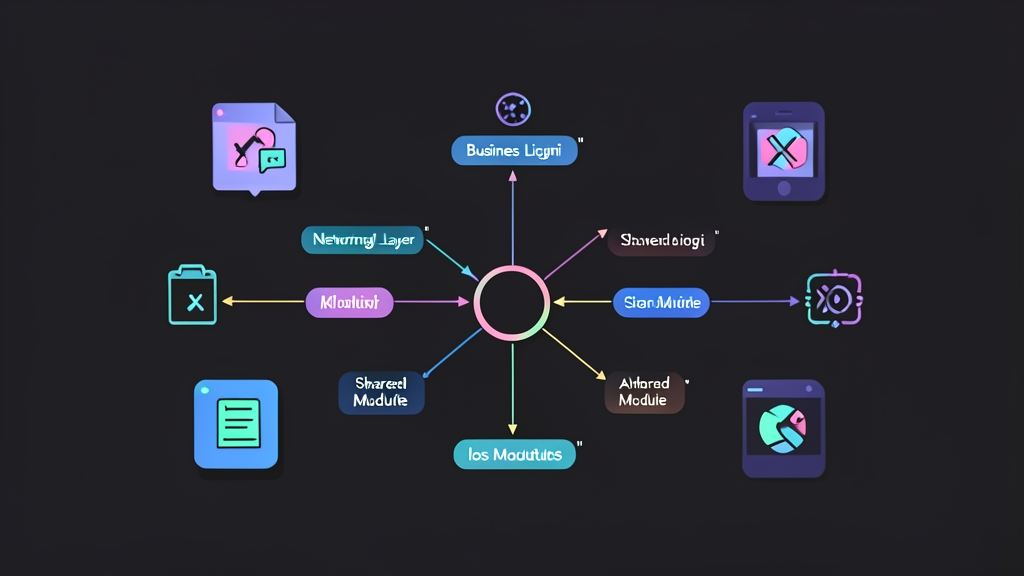
KMP skips the all-or-nothing rewrite. You keep native UI code intact—SwiftUI on iOS and Jetpack Compose on Android. Meanwhile, the shared module quietly powers the engine room: network calls, business logic, persistence, and state validation.
What Kotlin Multiplatform Actually Is (and Isn’t)
KMP is not Flutter or React Native. It does not replace your rendering pipeline, wrap native controls, or impose a generic design system. Instead, Kotlin compiles directly to JVM bytecode for Android and native Apple frameworks via Kotlin/Native (Objective-C/Swift interop) for iOS.
You isolate your shared footprint to where it delivers maximum leverage:
- HTTP requests, interceptors, and JSON serialization
- Domain rules, input validation, and data formatting
- Shared data models and DTOs
- Local database caching and migrations
Draw a clean line at the view layer. Mobile teams that try to share view state abstractions immediately run into platform lifecycle headaches. Start lean with networking and models first. You can always expand scope later.
Shared Module Architecture
A production KMP repository typically splits into three distinct directories:
shared/— the multiplatform Gradle module containing common logic and platform bindingsandroidApp/— standard Android application module consuming the shared code directly as a Gradle dependencyiosApp/— native Xcode project linking the compiled.xcframeworkor CocoaPods/SPM artifact
Inside shared/, Kotlin organizes compilation targets through source sets:
commonMain— multiplatform code shared across all compilation targetsandroidMain— platform-specific implementations compiled against the Android SDKiosMain— iOS implementations compiled against Apple platform APIs via Kotlin/Native
When code demands platform APIs like keychain access or logging, declare an expect signature in commonMain. Then write corresponding actual implementations in androidMain and iosMain. Think of it as a compile-time interface contract enforced across targets.
Setting Up the Shared Module
While the JetBrains web wizard (kmp.jetbrains.com) offers an easy starting point, building the Gradle files yourself reveals how multiplatform targets and XCFramework packaging actually link together.
Project-Level build.gradle.kts
plugins {
    kotlin("multiplatform") version "2.0.0" apply false
    kotlin("plugin.serialization") version "2.0.0" apply false
    id("com.android.library") version "8.4.0" apply false
}
Shared Module build.gradle.kts
To produce an iOS framework that Xcode can digest without extra tooling, configure the XCFramework packaging task explicitly:
import org.jetbrains.kotlin.gradle.plugin.mpp.apple.XCFrameworkConfig

plugins {
    kotlin("multiplatform")
    kotlin("plugin.serialization")
    id("com.android.library")
}

kotlin {
    androidTarget()

    // Bundle iOS architectures into a single XCFramework
    val xcf = XCFramework("SharedKit")
    listOf(
        iosX64(),
        iosArm64(),
        iosSimulatorArm64()
    ).forEach { target ->
        target.binaries.framework {
            baseName = "SharedKit"
            xcf.add(this)
        }
    }

    sourceSets {
        commonMain.dependencies {
            implementation("io.ktor:ktor-client-core:2.3.12")
            implementation("io.ktor:ktor-client-content-negotiation:2.3.12")
            implementation("io.ktor:ktor-serialization-kotlinx-json:2.3.12")
            implementation("org.jetbrains.kotlinx:kotlinx-coroutines-core:1.9.0")
            implementation("org.jetbrains.kotlinx:kotlinx-serialization-json:1.7.3")
        }
        androidMain.dependencies {
            implementation("io.ktor:ktor-client-okhttp:2.3.12")
        }
        iosMain.dependencies {
            implementation("io.ktor:ktor-client-darwin:2.3.12")
        }
    }
}

android {
    namespace = "com.example.shared"
    compileSdk = 34
    defaultConfig {
        minSdk = 24
    }
}
Notice the split engine design. Common code targets ktor-client-core. Platform sets inject specialized engines: OkHttp for Android connection pooling and Apple’s native NSURLSession-backed Darwin engine for iOS.
Writing the Shared Networking Service
Here is a clean implementation of a shared client handling HTTP requests and JSON deserialization:
// shared/src/commonMain/kotlin/com/example/shared/api/PostsApi.kt
package com.example.shared.api

import io.ktor.client.HttpClient
import io.ktor.client.call.body
import io.ktor.client.plugins.contentnegotiation.ContentNegotiation
import io.ktor.client.request.get
import io.ktor.serialization.kotlinx.json.json
import kotlinx.serialization.Serializable
import kotlinx.serialization.json.Json

@Serializable
data class Post(
    val id: Int,
    val title: String,
    val body: String
)

class PostsApi {
    private val client = HttpClient {
        install(ContentNegotiation) {
            json(Json {
                ignoreUnknownKeys = true
                isLenient = true
            })
        }
    }

    @Throws(Exception::class)
    suspend fun getPosts(): List<Post> {
        return client.get("https://jsonplaceholder.typicode.com/posts").body()
    }

    @Throws(Exception::class)
    suspend fun getPost(id: Int): Post {
        return client.get("https://jsonplaceholder.typicode.com/posts/$id").body()
    }
}
The @Throws(Exception::class) annotation is crucial for Apple platforms. Without it, uncaught Kotlin exceptions inside suspend functions fail silently or crash the Objective-C runtime instead of propagating clean NSError values to Swift’s try/catch blocks.
Handling Platform Differences with expect/actual
When you need native logging or device storage, define your platform contract in commonMain:
// shared/src/commonMain/kotlin/com/example/shared/platform/Logger.kt
package com.example.shared.platform

expect class Logger() {
    fun log(tag: String, message: String)
}

// shared/src/androidMain/kotlin/com/example/shared/platform/Logger.kt
package com.example.shared.platform

actual class Logger actual constructor() {
    actual fun log(tag: String, message: String) {
        android.util.Log.d(tag, message)
    }
}

// shared/src/iosMain/kotlin/com/example/shared/platform/Logger.kt
package com.example.shared.platform

import platform.Foundation.NSLog

actual class Logger actual constructor() {
    actual fun log(tag: String, message: String) {
        NSLog("[%@] %@", tag, message)
    }
}
Consuming Shared Code in Android
Android consumption is painless. Add the shared project reference inside androidApp/build.gradle.kts:
dependencies {
    implementation(project(":shared"))
}
Call the API directly from your Android ViewModel or Activity:
// androidApp/src/main/kotlin/com/example/app/MainActivity.kt
class MainActivity : AppCompatActivity() {
    private val api = PostsApi()

    override fun onCreate(savedInstanceState: Bundle?) {
        super.onCreate(savedInstanceState)
        lifecycleScope.launch {
            try {
                val posts = api.getPosts()
                // Bind posts to your Jetpack Compose or XML layout
            } catch (e: Exception) {
                Log.e("MainActivity", "Network error", e)
            }
        }
    }
}
Consuming Shared Code in iOS
Compile the debug XCFramework by running this Gradle task from your project root:
./gradlew :shared:assembleSharedKitDebugXCFramework
Gradle outputs the framework to shared/build/XCFrameworks/debug/SharedKit.xcframework. Drag this directory into your Xcode project’s Frameworks, Libraries, and Embedded Content section. Then import it straight into your SwiftUI view:
// iosApp/ContentView.swift
import SwiftUI
import SharedKit

struct ContentView: View {
    @State private var posts: [Post] = []
    @State private var errorMessage: String? = nil
    private let api = PostsApi()

    var body: some View {
        NavigationStack {
            List(posts, id: \.id) { post in
                VStack(alignment: .leading) {
                    Text(post.title).font(.headline)
                    Text(post.body).font(.subheadline).foregroundColor(.secondary)
                }
            }
            .navigationTitle("Shared Feed")
            .overlay {
                if let error = errorMessage {
                    Text(error).foregroundColor(.red)
                }
            }
            .task {
                do {
                    posts = try await api.getPosts()
                } catch {
                    errorMessage = "Failed to load posts: \(error.localizedDescription)"
                }
            }
        }
    }
}
Kotlin suspend functions compile cleanly to Swift’s async/await syntax. You get idiomatic Swift code on the UI side, backed by shared networking logic under the hood.
Three Production Pitfalls to Prevent Early
1. Kotlin/Native Memory and Threading Rules
Early versions of Kotlin/Native enforced strict freezing rules: any object passed across background threads became immutable forever. That legacy memory model was completely replaced in Kotlin 1.7.20 and made default in 1.9.0+. Ensure your build uses modern coroutines (kotlinx-coroutines-core:1.8.0+). If you encounter older blog posts recommending @ThreadLocal or freeze() calls, ignore them. The modern garbage collector works just like standard JVM memory.
2. The CI Runner Cost Gap
Compiling an XCFramework on CI requires macOS hardware. While Linux runners on GitHub Actions cost around $0.008 per minute, macOS runners cost $0.08 to $0.12 per minute—roughly ten times more. Don’t run full iOS framework assemblies on every feature pull request. Configure your pipeline to run Android unit tests and commonTest on cheap Linux instances. Trigger the macOS XCFramework build only on pull requests that modify the shared/ directory or on merges to your integration branch.
3. Binary Size Footprint
Including the Kotlin/Native runtime and standard library adds a fixed baseline overhead to your iOS app. For a barebones KMP networking module, expect roughly 1.5 MB to 2.5 MB added to the uncompressed release binary. In practice, this cost plateaus quickly. As your shared business logic expands from 1,000 to 20,000 lines of code, the binary size barely increases because the runtime overhead is already paid.
Where to Go From Here
With networking verified, your next architectural milestone is unified local persistence. SQLDelight or Room for KMP (introduced in Android Jetpack) allow you to write SQL schemas once and generate type-safe database queries for both SQLite on Android and CoreData-free SQLite on iOS.
For cross-platform state architecture, evaluate Decompose or Koin. They let you share state machines and dependency injection graphs while preserving 100% native views.
Production adoption at scale is no longer an experiment. Companies like Cash App, 9GAG, McDonald’s, and Netflix run KMP in apps serving hundreds of millions of users daily. Pick one low-risk feature—such as your configuration endpoint or terms-of-service API—and migrate it to a shared module. Once your team experiences fixing an API bug once instead of twice, nobody asks to go back.